LATEST STORY
TechiesAIE Inside AgentLens: How to Hand Over AI Tasks So Nothing Breaks
AgentLens helps teams hand over AI tasks smoothly by making sure everyone sees why an AI picked a certain path, even when things break.
Read the story ↗THE TECHIESAIE BUILD JOURNAL
Real apps. The problems they solve. The choices behind them.
Explore our applications ↗LATEST STORY
AgentLens helps teams hand over AI tasks smoothly by making sure everyone sees why an AI picked a certain path, even when things break.
Read the story ↗
Discover how to manage missing information when updating a career timeline in your sales portfolio.
Read the story ↗
Techies AI offers an SEO-ready landing page, but business owners often wonder who manages ongoing search performance.
Read the story ↗
Hospital Site helps clinics build patient trust online, making it easier for them to book appointments.
Read the story ↗
Explore how retry logic prevents dropped customer searches when database queries hit temporary snags.
Read the story ↗
Learn how to handle missing project details when publishing case studies on your developer portfolio without losing professional credibility.
Read the story ↗
Learn who should own post-launch updates, access rights, and follow-up work for mobile recipe layouts.
Read the story ↗
Learn how business owners decide who handles post-launch ownership, access, and file transfer updates for business tools.
Read the story ↗
Learn how to handle missing project details in your design gallery without breaking your workflow or confusing clients.
Read the story ↗
Learn how to manage missing information and incomplete steps when publishing data engineering projects.
Read the story ↗
Discover how deterministic scoring turns confusing speech practice into clear, reliable feedback for every learner.
Read the story ↗
Discover how Olive uses consumer design choices to help shoppers find grocery items on their phones without getting lost.
Read the story ↗
MindFlow helps businesses keep track of how their software works, so customer issues get fixed faster.
Read the story ↗
LeadViora helps businesses connect new customer enquiries to the right team member quickly, improving customer experience.
Read the story ↗
CueBench Team Analyzer helps you see how your team uses AI, but adapting it for your unique needs requires careful thought.
Read the story ↗
Matiks helps businesses organize content planning, generation, and workflows, solving the problem of missed deadlines and unhappy customers.
Read the story ↗
ResumeIQ helps technical hiring teams organize interview questions—but who stays responsible for updates, access, and fixes once you move on?
Read the story ↗
GitStatus helps teams share developer work, but who should manage those shares after launch?
Read the story ↗
AI Check Data helps teams inspect AI training data, but adapting it may not cover all your needs—here’s how to decide if you should tweak it or build something new.
Read the story ↗
Running multiple rental companies? Learn how to confirm DriveAccessible keeps bookings, renewals, and expenses straight across branches before you switch.
Read the story ↗
A business owner can test if a railway station guide works for their team’s daily work before committing to custom software.
Read the story ↗
LinkInPage lets you add as many links as you need in one clean hub, so your social media bio stays simple and followers find what they need fast.
Read the story ↗
Discover how fast loading helps your handmade craft buyers browse product pages without frustrating delays.
Read the story ↗
How Quesly uses a simple AI workflow to turn class notes into tests without the usual friction.
Read the story ↗
FinTrack’s responsive design keeps financial tasks visible on phones without clutter or zooming, solving the problem of spreadsheets that look like tiny puzzles on small screens.
Read the story ↗
GharPayy CRM helps room-finder teams track leads, but what happens when you’re not the one updating it daily? Who should own the work after launch?
Read the story ↗
A full-stack engineer’s portfolio shows how to verify if the experience timeline will handle your messy work history, load fast, and fit your branding before you adapt or build custom software.
Read the story ↗
Career Garden’s progress dashboard helps teams track job applications—but without clear ownership, updates and reminders get ignored. Learn who should handle it after launch.
Read the story ↗
Unsure if Crypto Checkout’s responsive design fits your crypto checkout needs? See what it handles—and what you’d need to build separately for a custom workflow.
Read the story ↗
Learn when to adapt Kanban Pro's comment features versus building a custom solution for your team.
Read the story ↗
When database tasks fail, who should own the follow-up—and how can TalkToYourDB’s retry logic help your team avoid delays?
Read the story ↗
A sales leader’s career timeline can be added to their portfolio without pausing daily work—here’s how to start small and scale later, using the exact features in the catalogue.
Read the story ↗
WikiReels turns Wikipedia articles into swipeable video clips—but who ensures the phone version stays working after launch?
Read the story ↗
A small team can add project case studies to their portfolio without pausing daily work—here’s how to introduce this workflow step by step.
Read the story ↗
SocialViora helps businesses use AI for daily social posts, but deciding what to build first is key.
Read the story ↗
Learn how to introduce a data engineering portfolio without disrupting your team’s current projects or workflows.
Read the story ↗
AgentLens automatically switches AI providers when one fails—so you don’t have to rely on spreadsheets or manual checks during outages.
Read the story ↗
When your landing page is missing SEO details like titles or descriptions, Techies AI’s template keeps your site search-friendly while you finish the work.
Read the story ↗
Voxstep helps grade English pronunciation, but deciding who manages its scores after launch is key.
Read the story ↗
Olive’s grocery app is designed for phones, but who should handle updates, access rules, and follow-up after launch?
Read the story ↗
When a recipe screen overflows or breaks on phones, Una Recette’s responsive design helps—but your team still needs a plan for what to do next.
Read the story ↗
A dental clinic's trust-building website content goes stale fast unless someone owns the updates after launch.
Read the story ↗
Vault lets teams share files instantly without accounts, but what happens when a recipient’s email is wrong or a file transfer fails? Here’s how to handle missing details without losing work.
Read the story ↗
Learn how to introduce a visual project gallery to your portfolio without disrupting your team’s current workflow.
Read the story ↗
LeadViora helps businesses assign leads automatically—but what happens when no one is set to handle them? Learn how to set up rules and who should own the fix.
Read the story ↗
GitStatus helps teams review developer work, but missing stats or locked profiles can stall decisions. Learn how shareable cards handle gaps—and what you’d need to build for your team’s workflow.
Read the story ↗
MindFlow helps explain complex code, but someone needs to own keeping those explanations fresh.
Read the story ↗
CueBench Team Analyzer helps businesses show customers concrete evidence of AI workflow scores, removing confusion.
Read the story ↗
Matiks helps teams plan and generate content—but after launch, someone must decide who can edit drafts, update deadlines, and manage access. Learn who should take charge.
Read the story ↗
AI Check Data helps teams catch mistakes in AI training data before they cause delays or errors in daily work.
Read the story ↗
DriveAccessible automates bookings and renewals, but B2B fleet teams still need to track expenses, disputes, and maintenance logs. Here’s how to keep records straight without missing critical work.
Read the story ↗
ResumeIQ helps hiring teams ask better interview questions, but what happens when a candidate cannot answer one?
Read the story ↗
Quesly helps teachers make tests, but knowing who can change them later is important for any school owner.
Read the story ↗
A delivery team wastes hours fixing spreadsheets. Mumbai’s railway station records help them keep track—and spot what’s missing.
Read the story ↗
LinkInPage helps you manage many online links, but keeping them updated requires a clear plan for who owns the changes.
Read the story ↗
FinTrack’s dashboard looks clear on phones—but who updates it if your team grows or screens change? Learn who should own updates, access, and follow-up after launch.
Read the story ↗
ManuCrafts loads fast—but who keeps it that way? Learn who should own updates, access, and speed checks for your handmade storefront.
Read the story ↗
GharPayy CRM helps room-finder teams keep track of leads, but what happens when a prospect’s phone number is missing or a call step can’t be finished?
Read the story ↗
Discover which records a team needs to keep and review using the experience timeline in Imran Khan.
Read the story ↗
Learn how your team can handle missing information in a job tracking progress dashboard without stopping daily work.
Read the story ↗
Crypto Checkout makes crypto payments work just as well on phones as on computers—so customers don’t abandon their carts because buttons are too small or steps get hidden.
Read the story ↗
Kanban Pro’s comments and activity feed keeps client feedback tied to tasks so nothing gets buried in emails or spreadsheets.
Read the story ↗
TalkToYourDB helps teams keep database tasks running when queries fail by retrying automatically—here’s how it works and what to do when it can’t recover.
Read the story ↗
This story explores how business owners can make sure a Software Engineer Portfolio demo effectively showcases project case studies and what questions to ask.
Read the story ↗
A sales leader’s career timeline should show real growth—but what to ask in a demo before you commit?
Read the story ↗
When two people share social media duties, SocialViora’s daily AI workflow keeps posts moving without confusion or missed deadlines.
Read the story ↗
WikiReels turns Wikipedia articles into swipeable video clips—but what happens when a reel won’t load properly on a phone or tablet?
Read the story ↗
Discover what specific evidence you should ask to see in a live software demonstration before commissioning a data engineering portfolio application.
Read the story ↗
Techies AI helps small teams launch SEO-ready landing pages without interrupting their daily work.
Read the story ↗
Voxstep’s deterministic scoring gives clear pronunciation grades even when words are skipped or recordings fail—without unfair penalties or lost progress.
Read the story ↗
AgentLens automatically switches AI tasks to working providers when one fails, so your business avoids delays and lost work without manual fixes.
Read the story ↗
Olive helps shoppers browse groceries on phones, but what happens when a product isn’t listed? Learn how to design around missing info in your storefront.
Read the story ↗
Learn how to manage missing clinic details when using trust-focused website layouts to keep patient pages clear and professional.
Read the story ↗
Una Recette helps small teams share recipe content without disrupting their current work.
Read the story ↗
Vault helps small teams share files quickly without interrupting their daily tasks or complex setups.
Read the story ↗
LeadViora’s smart routing sends leads to the right person—but what happens when no one is set to handle that type of enquiry? Here’s how to spot, review, and handle unassignable leads in your sales workflow.
Read the story ↗
Discover what specific features to review in a software demonstration before commissioning a custom creative portfolio application.
Read the story ↗
GitStatus lets small teams share clean developer work snapshots without pausing hiring or switching tools.
Read the story ↗
CueBench Team Analyzer helps business owners understand who will manage the detailed review of AI workflow data after an application is live.
Read the story ↗
MindFlow helps teams handle gaps in code context—like missing files or unclear connections—so they can keep working without guessing.
Read the story ↗
Matiks helps teams organize content workflows, but what happens when the AI can’t finish a task because key details are missing? Learn how to handle these stalls without losing time.
Read the story ↗
DriveAccessible helps manage B2B fleet operations, but business owners often wonder if they should adapt it or build custom software.
Read the story ↗
A template demo shows how AI training data can be inspected, but real projects need a clear owner for updates, access, and follow‑up.
Read the story ↗
Quesly helps teachers turn class notes into tests—but what happens when the AI can’t generate enough questions? Here’s how to handle missing steps and keep your workflow running.
Read the story ↗
Decide when to adapt ready-made railway station directories or commission custom software for your business.
Read the story ↗
A small hiring team can start using shared interview questions in ResumeIQ without stopping their current candidate reviews.
Read the story ↗
FinTrack’s responsive layout helps financial tasks stay clear on phones—but what happens when a key detail gets cut off or a chart won’t load?
Read the story ↗
A room-finder team introduces GharPayy CRM’s lead tracker and call workflow without pausing daily calls or losing prospect notes.
Read the story ↗
Deciding whether to adapt Imran Khan’s experience timeline or build a custom workflow depends on your project needs—here’s how to compare the two.
Read the story ↗
A small team can introduce Career Garden’s progress dashboard for job applications without pausing their current workflow—if they focus on the right first steps and avoid common pitfalls.
Read the story ↗
LinkInPage lets you add as many links as you need, but what happens when one is missing or broken? Here’s how to keep your hub working smoothly.
Read the story ↗
Learn who takes charge of software updates and access for a custom crypto checkout application after it launches.
Read the story ↗
ManuCrafts helps display handmade products, but business owners need a plan for missing information to keep the storefront running smoothly.
Read the story ↗
Kanban Pro helps teams keep tasks moving, but figuring out who owns updates after launch is key for success.
Read the story ↗
Learn how a small team can introduce retry logic for database tasks without disrupting daily work, using a tool like TalkToYourDB.
Read the story ↗
A sales leader’s first career timeline should focus on promotions, awards, and major deals—here’s what to include and what to leave for later.
Read the story ↗
A data engineer’s portfolio must prove real-world speed and scale—but what should you include in the first version to avoid overcomplicating it?
Read the story ↗
A busy developer’s portfolio can’t wait for perfect projects—here’s what to include first in case studies to attract clients without overcomplicating work.
Read the story ↗
A small team spends every morning writing posts in a spreadsheet. SocialViora runs a daily AI workflow that writes, schedules, and publishes across six networks.
Read the story ↗
WikiReels turns Wikipedia articles into swipeable video clips—now see how a small team can add this tool without disrupting daily tasks, using responsive design to keep it simple.
Read the story ↗
AI teams often waste time on landing page templates that lack key SEO features like page titles or meta descriptions. Techies AI’s template includes an SEO-ready structure, but you should confirm these basics in a demo before deciding.
Read the story ↗
A small team can test Voxstep’s deterministic scoring for English pronunciation without pausing daily tasks—here’s how to start with the live demo and temporary processing.
Read the story ↗
A dental clinic can introduce a professional, trust-focused website without disrupting daily work or overwhelming their team—here’s how.
Read the story ↗
This application helps graphic designers create a simple, effective portfolio to show off their best work quickly.
Read the story ↗
AgentLens helps businesses understand why their AI chooses one provider over another, avoiding guesswork and frustration.
Read the story ↗
Olive’s grocery app helps small teams add a phone-friendly storefront while keeping stock updates and sales tasks running smoothly.
Read the story ↗
A recipe site that looks great on phones can save you hours of fixes later—here’s what to confirm in a demo before you commit.
Read the story ↗
Before building or adapting a file transfer tool, ask these key questions in a demo to avoid costly surprises with your custom app.
Read the story ↗
Before commissioning shareable cards for developer work, ask these key questions to avoid missing critical demo details.
Read the story ↗
When your team’s AI workflow logs have gaps, CueBench Team Analyzer shows you *real* trends—not guesses—so you can act on what you know.
Read the story ↗
Learn how small teams can introduce Matiks for content operations without disrupting their daily publishing routine.
Read the story ↗
LeadViora helps small teams introduce smart lead routing without disrupting current sales work.
Read the story ↗
A Mumbai-based delivery team spends 15 minutes daily guessing which station to drop off at. Mumbai helps them show customers the right station—and keep it simple.
Read the story ↗
MindFlow helps small teams introduce code architecture maps without disrupting daily work—so you can see connections without extra effort.
Read the story ↗
DriveAccessible helps car rental businesses stop wasting time chasing customers for late vehicle returns by automating reminders and tracking overdue contracts in one place.
Read the story ↗
AI Check Data helps teams spot missing or wrong AI training data early, so work doesn’t get stuck waiting for fixes.
Read the story ↗
Before building a hiring tool with interview questions, confirm these demo details to avoid costly gaps in your technical hiring workflow.
Read the story ↗
A small teaching team can introduce AI-generated tests without changing grading routines or lesson prep—here’s how Quesly’s workflow fits into their daily work.
Read the story ↗
Learn what to ask for in a demo to ensure a lead tracking app truly helps your team manage calls.
Read the story ↗
Discover how the experience timeline in Imran Khan helps busy clients view past technical work without getting lost in a messy page.
Read the story ↗
FinTrack helps small teams add a financial dashboard without pausing their important daily work.
Read the story ↗
What specific things should a business buyer ask to see in a progress dashboard demo before commissioning a similar job tracking application?
Read the story ↗
Crypto Checkout helps businesses accept crypto payments, but what happens when a step fails on a small screen? Here’s how responsive design handles missing info—and what you’d need to add.
Read the story ↗
LinkInPage helps small teams add many online links without messing up their current work.
Read the story ↗
Retry logic in database tools keeps failed queries from getting lost—here’s what to check before building or buying one.
Read the story ↗
A fast-loading storefront template lets handmade sellers test product pages quickly, so they can focus on setup—not waiting for slow updates.
Read the story ↗
Kanban Pro’s comments and activity feed help teams spot missing files or steps—but only if the right workflows are in place. Here’s how it works, and what’s still missing when tasks stall anyway.
Read the story ↗
When a top salesperson leaves, their career wins and deal secrets often disappear. This app keeps the key details visible for the next person—without the usual mess.
Read the story ↗
This application helps teams hand off software projects clearly, making sure new members understand past work easily.
Read the story ↗
When a data engineer leaves, the next person often inherits scattered notes and missing details. This portfolio keeps the critical parts of data engineering work visible and easy to pass along.
Read the story ↗
Before building a video tool, confirm it looks and works well on every device—so you don’t waste time fixing broken layouts later.
Read the story ↗
A fast, SEO-ready landing page template for AI startups and SaaS teams who need to launch quickly without custom design work.
Read the story ↗
SocialViora helps businesses use AI to create and publish daily social media posts without repetitive manual work.
Read the story ↗
A dental clinic’s website must feel trustworthy—or patients won’t book. Here’s what to check in a demo to avoid wasted time and money.
Read the story ↗
How two team members can hand over creative projects smoothly without losing track of files or missing what needs doing.
Read the story ↗
Learn what specific features to ask for in a live software demo before commissioning a custom assessment tool.
Read the story ↗
AgentLens helps teams track AI provider reliability with clear records, so you can quickly see why a provider failed and switch to a better option without guessing.
Read the story ↗
Una Recette shows how to build a usable recipe site that looks good on any device, from a small phone to a large desktop.
Read the story ↗
Matiks helps teams organize content workflows—but what should you confirm in a demo before deciding to build or adapt it?
Read the story ↗
Before buying Olive, verify these three phone design elements in a demo to avoid losing sales to confusing layouts or tiny buttons.
Read the story ↗
Learn what to include in a first version of shareable developer cards—and what to skip—using GitStatus as a proven example.
Read the story ↗
Vault’s file transfer helps teams share work files instantly—without forcing clients or partners to create accounts. Learn what to include in a first version and what can wait.
Read the story ↗
When your team relies on railway station guides, who should own updates—and how do you stop outdated info from confusing customers?
Read the story ↗
Discover how a small team can roll out evidence-based AI insights without disrupting ongoing work or daily routines.
Read the story ↗
Learn what specific questions to ask about MCP-ready context in a software demo before commissioning a custom codebase tool.
Read the story ↗
LeadViora helps assign new sales leads, but it's vital to know how smart routing works before committing.
Read the story ↗
Discover who should own access rules, vehicle data updates, and daily B2B operations after your fleet management application goes live.
Read the story ↗
A small hiring team’s first version of interview questions should focus on keeping notes together and saving time—not on every possible feature.
Read the story ↗
How a small team can introduce AI data inspection tools without stopping daily work.
Read the story ↗
The Imran Khan portfolio template helps showcase your work, but after launch, someone must keep the timeline updated—here’s how to decide who owns it and what to plan for.
Read the story ↗
Teachers waste hours typing tests and grading answers. Before building or buying an AI tool, confirm how it handles errors, approvals, and messy notes.
Read the story ↗
Learn what features belong in the first version of a progress dashboard and what extras can wait for later updates.
Read the story ↗
A first CRM version should track leads and calls—but what should you skip to avoid overbuilding?
Read the story ↗
A financial dashboard that looks clear on phones saves time and avoids frustration—here’s what to confirm in a demo before buying.
Read the story ↗
Discover what features a first version of TalkToYourDB needs and why retry logic matters for small teams.
Read the story ↗
A small team can add responsive crypto checkout without disrupting their workflows—if they focus on a design that works on every device and connects to their existing tools.
Read the story ↗
LinkInPage lets you add as many links as you need—but before buying, ask these key questions to make sure it fits your workflow.
Read the story ↗
Learn what specific questions to ask when testing fast loading in a handmade storefront demo before you commit.
Read the story ↗
Enterprise sales leaders like Ashley Miller use a shared app instead of spreadsheets to keep their career timeline visible, detailed, and easy to update.
Read the story ↗
Kanban Pro’s comments and activity feed help small teams share updates without cluttering work or requiring everyone to switch tools.
Read the story ↗
This story explains when a simple spreadsheet for project details needs to become a shared application like Software Engineer Portfolio.
Read the story ↗
Data engineers tracking distributed systems, benchmarks, and case studies in spreadsheets often lose updates or key details. This portfolio app keeps those numbers linked to live projects—when to switch and what it can’t do yet.
Read the story ↗
WikiReels turns Wikipedia content into video clips, and this story explains how to build a first version that looks good on any device.
Read the story ↗
A shared visual gallery helps designers stop drowning in spreadsheets when tracking projects, clients, and files.
Read the story ↗
Voxstep’s first version scores English pronunciation fairly without storing recordings or handling user accounts. Here’s what to build now—and what to skip.
Read the story ↗
When handing over a landing page, teams often lose track of SEO settings. Techies AI’s built-in SEO-ready structure keeps key details visible, so new team members can take over without breaking search rankings.
Read the story ↗
A dental clinic’s first website should build patient trust before adding booking tools. Hospital Site delivers the trust pieces—and shows what to skip for now.
Read the story ↗
AgentLens explains why your AI picks certain paths, a key feature for business owners deciding between adapting an existing tool or building a new one.
Read the story ↗
Matiks helps teams organize content workflows, but a first version should focus on tracking tasks and deadlines—leaving AI and integrations for later.
Read the story ↗
Olive’s grocery app template helps small stores test a mobile-friendly shopping experience—but what’s missing in the first version?
Read the story ↗
Learn how to run practical acceptance checks on timezone scheduling before you commission a custom social media app.
Read the story ↗
Vault’s zero-account file transfer helps teams pass work files to others without losing track—see what’s missing for your handover needs.
Read the story ↗
When a railway station’s details are unclear or missing, Mumbai helps teams mark what’s incomplete and keep track of what still needs work—without losing updates or causing confusion.
Read the story ↗
GitStatus helps teams hand over developer work by turning GitHub stats into shareable cards—no lost details or messy spreadsheets.
Read the story ↗
Before buying a team AI workflow tool, ask these questions about how it shows real evidence—not just scores.
Read the story ↗
DriveAccessible helps B2B car rental operators manage jobs, but what happens when details are missing?
Read the story ↗
When two people share recipe updates, how do you make sure nothing gets lost—even when one uses a phone and the other a desktop?
Read the story ↗
A small team can use MindFlow’s dependency graphs to see key code connections—but what should you build first, and what can wait to avoid extra work?
Read the story ↗
LeadViora’s smart lead routing helps small teams stop losing leads—but what’s the smallest useful version to build first?
Read the story ↗
ResumeIQ helps hiring teams hand over interview questions, keeping important context visible for everyone.
Read the story ↗
AI Check Data helps teams inspect AI training data, but what should you confirm in a demo before commissioning a similar tool?
Read the story ↗
Teachers can use AI to draft test questions from class notes—but only if they focus on the core workflow first. Here’s what Quesly’s first version *actually* does, and what to delay.
Read the story ↗
Discover how Imran Khan’s portfolio template lets you keep your work timeline visible even when project details are incomplete or confidential.
Read the story ↗
Career Garden helps teams share job application progress so nothing gets missed during handovers.
Read the story ↗
A two-person room-finder team uses GharPayy CRM to pass prospect calls between shifts—without missing notes or follow-ups.
Read the story ↗
FinTrack’s dashboard works on phones, but its first version skips user logins, alerts, and integrations. Learn what’s ready—and what to leave out—to avoid overbuilding.
Read the story ↗
ManuCrafts’ fast-loading template lets you list handmade products instantly, but what can you *really* sell with it before adding payment tools?
Read the story ↗
Learn how TalkToYourDB’s retry logic helps teams keep failed database tasks visible during handover, so no one loses track of what was tried or why it failed.
Read the story ↗
Crypto Checkout helps businesses convert crypto to cash, and responsive design ensures it works on any device.
Read the story ↗
LinkInPage lets you add as many links as you want—but starting with just the right ones keeps your audience focused and avoids clutter.
Read the story ↗
Enterprise sales leaders waste time digging through emails and spreadsheets to recall career milestones—here’s how this portfolio keeps your timeline complete and easy to share.
Read the story ↗
A software engineer’s daily work often gets lost in scattered notes, missing files, and unclear project records—until a portfolio app keeps everything visible and searchable.
Read the story ↗
Learn what to ask about comments and activity in Kanban Pro to ensure it meets your business needs.
Read the story ↗
A data science engineer’s daily work often gets lost in scattered files and notes—this portfolio helps keep track of pipelines, benchmarks, and case studies in one place.
Read the story ↗
WikiReels helps teams hand over knowledge clearly—even when one person uses a phone and the other a tablet—by turning Wikipedia content into bite-sized, swipeable video clips that stay visible on all devices.
Read the story ↗
A portfolio app that helps designers keep track of their best work—but only if you set it up right for daily use.
Read the story ↗
Learn how two team members hand over speech tasks and keep assessment scores visible without confusion.
Read the story ↗
AgentLens helps teams explain AI provider choices to customers and staff when things go wrong—without guessing or raw logs.
Read the story ↗
AI teams often track product details in spreadsheets—until outdated info hurts search rankings and confuses visitors. Techies AI’s SEO-ready landing page template fixes this.
Read the story ↗
A dental clinic’s website must show who’s handling bookings and what’s left to do—without hiding details in spreadsheets or emails.
Read the story ↗
Matiks helps teams hand over content tasks, but only if drafts, deadlines, and ownership stay clearly visible—without relying on messy spreadsheets.
Read the story ↗
Olive’s grocery app design helps teams hand over product updates clearly—no more digging through spreadsheets or emails to find what’s changed.
Read the story ↗
Vault helps teams share files instantly—no accounts, no lost versions—when spreadsheets cause delays in client or partner workflows.
Read the story ↗
SocialViora helps small teams schedule posts for the right time—even when team members are in different time zones—but you’ll need to plan how to review what worked (and what didn’t).
Read the story ↗
GitStatus helps you move beyond spreadsheets to share developer activity using clear, shareable cards.
Read the story ↗
A delivery team can add railway station guides to their workflow without disrupting daily operations or needing a full software build.
Read the story ↗
A small car rental team can introduce B2B operations for multiple companies without disrupting bookings, renewals, or payments—if they follow this step-by-step approach.
Read the story ↗
A first version of CueBench Team Analyzer can show real AI delegation trends—but only if you start with the right data. Here’s what to test first.
Read the story ↗
MindFlow helps business owners ensure that critical code context stays visible, even when teams change.
Read the story ↗
LeadViora helps sales teams hand over customer leads smoothly and see what needs doing next.
Read the story ↗
When hiring spreadsheets hide your interview questions, a shared workspace helps your team see what needs doing next.
Read the story ↗
Discover when a simple recipe spreadsheet becomes too complex, and how a shared app like Una Recette can help.
Read the story ↗
AI Check Data helps businesses inspect AI training data; knowing what to build first can save time and money.
Read the story ↗
See how two people hand over test creation work and keep review steps visible without losing time.
Read the story ↗
A portfolio template with a built-in experience timeline that lets you introduce work history updates without slowing down your site or pausing daily tasks.
Read the story ↗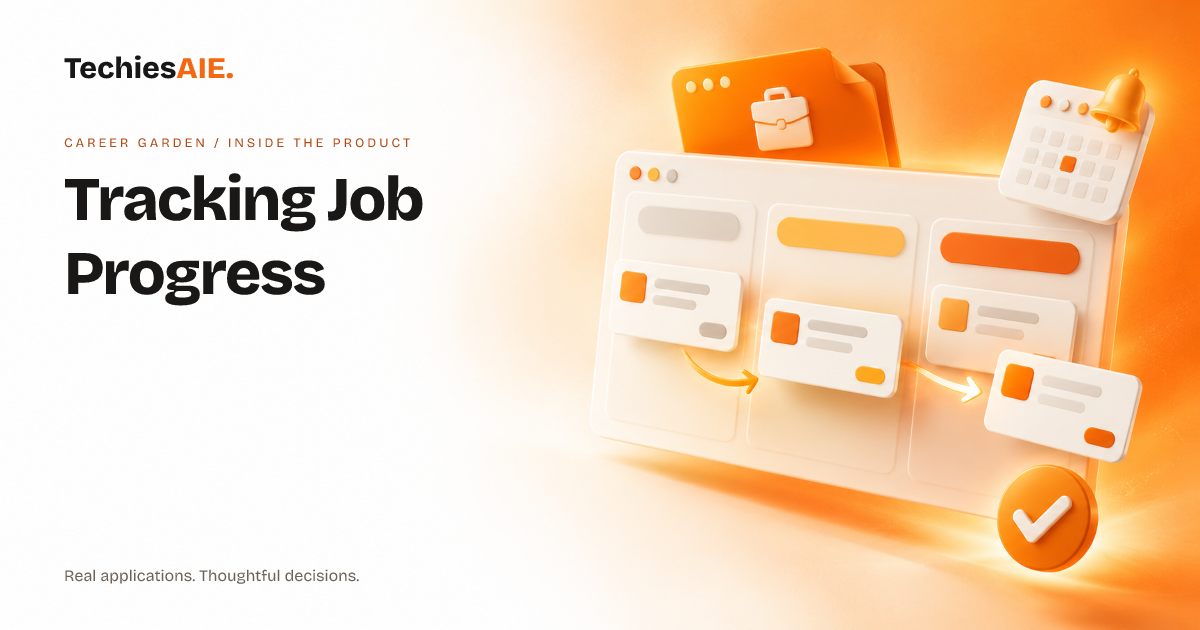
Career Garden helps business owners see job application progress clearly, avoiding the mess of scattered spreadsheets.
Read the story ↗
FinTrack’s responsive layout helps teams hand over financial tasks without missing key details on phones, tablets, or desktops.
Read the story ↗
GharPayy CRM helps room-finder teams move from spreadsheets to a shared app when calls, notes, and follow-ups get lost in emails or forgotten files.
Read the story ↗
ManuCrafts helps new team members quickly get up to speed on your storefront without delays.
Read the story ↗
Spreadsheets hide failed data checks, forcing teams to redo work. TalkToYourDB’s retry logic catches and fixes errors automatically—so your team never loses progress again.
Read the story ↗
LinkInPage helps teams keep all online links organized, making handovers smooth and clear for everyone.
Read the story ↗
A first version of Crypto Checkout handles phones, tablets, and computers—but what’s missing until you’re ready to expand?
Read the story ↗
A software engineer’s portfolio needs more than just code—it must prove projects worked as promised. Here’s how to check if yours is ready.
Read the story ↗
A sales portfolio must prove wins with real numbers—not just claims. Here’s how to check if your biggest deals are ready for buyers.
Read the story ↗
Machine learning portfolios often claim projects run fast, but how do you know if they actually handle real-world loads? This template shows buyers how to verify speed and scale with real benchmarks.
Read the story ↗
A first version of Kanban Pro’s comments and activity feed should focus on three core features: task comments, real-time updates, and simple visibility—nothing more. This keeps your team’s workflow clean and effective without overbuilding.
Read the story ↗
Voxstep replaces manual spreadsheet grading with clear, repeatable pronunciation scores—but only if your workflow needs consistent, auditable feedback for multiple students.
Read the story ↗
WikiReels turns Wikipedia articles into swipeable video clips—but only works well on phones and tablets if you pick the right tool for the job.
Read the story ↗
A portfolio missing key project details can make clients doubt your work. Learn how to test if this template captures your full story—or if you need changes.
Read the story ↗
AgentLens helps teams decide who should own AI provider updates, access, and follow-up after launch—without chasing logs or unclear rules.
Read the story ↗
Discover how a clear structure helps your startup keep track of jobs and maintain strong daily search visibility without losing key details.
Read the story ↗
Hospital Site provides a trusted online presence, helping clinics move beyond spreadsheets for patient bookings.
Read the story ↗
Matiks helps teams move from messy spreadsheets to a shared app for planning, generating, and tracking content—when it’s time to switch.
Read the story ↗
Olive shows how a shared app offers better grocery product discovery than a spreadsheet for customers.
Read the story ↗
Vault helps businesses send files quickly, avoiding the usual delays and frustrations of client accounts.
Read the story ↗
How to decide between adapting a ready-made social scheduling app and commissioning a custom workflow for your business.
Read the story ↗
GitStatus helps you share quick views of a developer's public work without complex explanations.
Read the story ↗
Mumbai helps explore railway stations, but business owners need to know what to ask for in a demo to ensure it meets their specific needs.
Read the story ↗
Learn what features to ask for in a software demo to make sure your vehicle fleet and B2B operations stay on track.
Read the story ↗
Discover how two people hand over AI work and what must stay visible using evidence-based insights.
Read the story ↗
Discover when your growing business should move away from static spreadsheets and adopt MindFlow's MCP-ready context to keep track of software projects.
Read the story ↗
When your team grows past basic rows and columns, LeadViora helps you switch from manual tracking to smart lead routing.
Read the story ↗
ResumeIQ helps technical hiring teams keep interview questions and answers in one place, so nothing gets lost between meetings or follow-ups.
Read the story ↗
AI Check Data helps teams pass on AI training work with clear records and visible details—so nothing gets lost when someone new takes over.
Read the story ↗
Una Recette’s responsive design ensures recipe steps, images, and ingredient lists stay readable on phones—so your team’s daily work doesn’t get lost in tiny screens or sideways scrolling.
Read the story ↗
Learn when basic rows and columns stop working for lesson questions and when you need a dedicated tool to send a reminder and keep track of jobs.
Read the story ↗
Learn what specific questions to ask when testing an experience timeline demo before you commission custom software.
Read the story ↗
Career Garden helps you track job application progress, so you always know where you stand.
Read the story ↗
GharPayy CRM helps room-finder teams keep prospect calls and notes in one place—but only if the interface matches how your team actually works.
Read the story ↗
FinTrack helps teams stop missing financial tasks when spreadsheets become unreadable on phones or tablets—no more zooming or switching devices.
Read the story ↗
ManuCrafts helps handmade sellers move from slow spreadsheets to a fast storefront—when to switch and what to expect.
Read the story ↗
When a database question fails, TalkToYourDB’s retry logic keeps your work safe and moving forward—no lost progress or starting over.
Read the story ↗
Discover when an active business workflow outgrows a simple spreadsheet and needs a dedicated link app instead.
Read the story ↗
A crypto checkout that shows identical payment steps on every device—so your team never loses track of work during handoffs.
Read the story ↗
A software engineer’s portfolio can help keep project records organized—but only if it’s set up to handle the right details.
Read the story ↗
A data science portfolio that organizes machine learning project records—latency, event counts, and model accuracy—so your team never loses track of what matters.
Read the story ↗
Enterprise sales leaders need a way to show their biggest deals—but keeping track of all the details can get messy. This app helps.
Read the story ↗
Kanban Pro’s activity feed keeps all comments, files, and updates visible during team handoffs—no more lost notes or forgotten reminders.
Read the story ↗
Voxstep helps businesses get reliable scores for English pronunciation, removing the guesswork from feedback.
Read the story ↗
A portfolio app that helps designers keep past projects visible, organized, and easy to review—without drowning in spreadsheets or lost files.
Read the story ↗
WikiReels turns long training guides into bite-sized video clips that stay easy to read on phones and tablets, helping small business owners teach new hires without losing their attention.
Read the story ↗
A fast landing page loses visitors if it doesn’t load quickly. Here’s how to check Techies AI’s speed before you decide to use it.
Read the story ↗
AgentLens helps teams handle AI provider failures by explaining why traffic rerouted—and what to do when the cause isn’t clear, even without raw logs.
Read the story ↗
Olive helps grocery owners fix confusing phone layouts that make shoppers abandon their carts mid-checkout.
Read the story ↗
SocialViora helps businesses schedule social media posts to reach customers in different time zones without confusion.
Read the story ↗
Matiks helps teams plan, generate, and organize content to stop losing track of important details.
Read the story ↗
Hospital Site helps clinics build patient trust online, easing worries before their first visit.
Read the story ↗
Avoid surprises by testing Vault’s live chat feature with these practical checks before deciding if it fits your team’s workflow.
Read the story ↗
LeadViora helps businesses get new customer inquiries to the right person quickly.
Read the story ↗Healthcare Portal shows clinic teams what needs doing, simplifying daily patient task management.
Read the story ↗
A small first version of DriveAccessible can handle bookings, renewals, and invoices—but what should you leave for later?
Read the story ↗
GitStatus helps you quickly check a developer's public work stats and streaks without deep technical digging.
Read the story ↗
Quesly uses AI to turn class notes into tests, but preparing your notes correctly is key for good results.
Read the story ↗
Learn what to include in a first version of your work history timeline—and what to leave out—using the Imran Khan portfolio template as a guide.
Read the story ↗
A small team can launch a railway station guide with just 135 stations—but what should wait for later?
Read the story ↗
This app helps teams spot AI delegation trends without copying scores into spreadsheets—when it fits your workflow and when it doesn’t.
Read the story ↗
MindFlow helps business owners understand complex codebases by providing clear context and answers.
Read the story ↗
AI Check Data helps businesses move beyond spreadsheets to inspect AI training data with purpose-built tools.
Read the story ↗
ResumeIQ helps hiring teams check GitHub profiles; this story explores how to confirm its GitHub context capability works for you.
Read the story ↗
Crypto Checkout helps businesses move from messy spreadsheets to a simple, shared app for crypto payments—but only when it fits your workflow.
Read the story ↗
A ready-made developer portfolio can showcase your work—but only if it matches how your team actually tracks projects and clients.
Read the story ↗
Deciding whether to adapt this machine learning portfolio or build a custom workflow? See what’s included—and what you’d need to add.
Read the story ↗
This portfolio app shows major deals clearly—but does it match how your team tracks wins, or do you need a custom solution?
Read the story ↗
Discover when your team should leave static spreadsheets behind and adopt a shared app with active comments.
Read the story ↗
Voxstep helps businesses assess spoken English, but checking its speech recording capabilities before committing is key.
Read the story ↗
This portfolio template handles project galleries, client inquiries, and skill highlights—but only if your workflow matches its built-in steps. See where it fits and where you’d need custom work.
Read the story ↗
Discover how to run practical acceptance checks on Una Recette's consumer interface to verify fit before commissioning your own web application.
Read the story ↗
Career Garden’s follow-up reminders can save you from missed job opportunities—but only if they match your team’s real workflow. Here’s how to verify before you decide.
Read the story ↗
Discover how the unlimited links feature in LinkInPage helps you keep track of changing social destinations without messy menus.
Read the story ↗
A room-finder team can’t afford a CRM that drops calls or loses notes. Here’s how to check if GharPayy’s call workflow handles your team’s steps before you commit.
Read the story ↗
FinTrack helps small business owners see financial tasks clearly on phones and desktops—without losing details when switching screens.
Read the story ↗
Learn how TalkToYourDB validates database questions in plain English—so your team can run queries safely without coding or IT help.
Read the story ↗
See how fast loading in ManuCrafts helps small shop owners check details and keep store work moving without waiting.
Read the story ↗
How to test Wikipedia-sourced content features in WikiReels to ensure they fit your reference workflow before committing to a custom build.
Read the story ↗
A fast landing page won’t help if your team wastes time hunting for records like pricing or features. Techies AI’s template loads quickly—but only if your records are ready.
Read the story ↗
Learn how AgentLens helps small teams add AI provider failover without disrupting current workflows or replacing existing tools.
Read the story ↗
A grocery store owner can test Olive’s responsive design on phones to see if it handles daily tasks like product search, cart updates, and checkout before deciding to adapt or build custom.
Read the story ↗
SocialViora helps businesses decide who owns social media updates and scheduling after their app is ready.
Read the story ↗
Discover how to run practical acceptance checks on Matiks' AI assistance before investing in custom software development.
Read the story ↗
How can dental clinic owners check if online booking tools actually work before inviting patients to use them?
Read the story ↗
Vault's live chat helps businesses communicate, but knowing which records to keep is key for future reference.
Read the story ↗
How can you test LeadViora's lead management features to see if they fit your sales process before making a final decision?
Read the story ↗This story helps business owners understand what a login demo shows and what real-world clinic needs it does not cover.
Read the story ↗
When handing over car rental work, keep bookings, renewals, and expenses visible for the next person—without relying on spreadsheets or lost paperwork.
Read the story ↗
GitStatus helps hiring teams spot missing developer records before they cause hiring mistakes—without digging through raw GitHub pages.
Read the story ↗
Teachers can use Quesly to turn class notes into test questions—but how do you confirm the AI actually understands your lessons?
Read the story ↗
A portfolio template with an experience timeline that helps teams hand over projects without losing key steps or forcing endless follow-up questions.
Read the story ↗
CueBench Team Analyzer turns raw AI session logs into clear trends—so you can stop guessing where delegation gaps hide in daily work.
Read the story ↗
When handing over Mumbai railway station work, teams often lose track of which stations are active, which routes matter, or where special notes are stored. Mumbai helps keep these details visible and organized in one place.
Read the story ↗
MindFlow helps teams see how code files connect—but how do you confirm it will show *your* critical links?
Read the story ↗
Crypto Checkout’s responsive design makes payment buttons, lists, and fees easy to see on phones—but it still needs help with extra steps or slow devices.
Read the story ↗
ResumeIQ helps hiring teams keep GitHub profiles, repos, and code files in one place—but what records does it *not* track?
Read the story ↗
How operations teams can inspect AI training datasets and evaluate workflows without getting lost in manual data crunching.
Read the story ↗
A portfolio that proves machine learning runs fast and reliably—without overwhelming buyers with technical details they don’t need.
Read the story ↗
Enterprise buyers skip past vague sales claims—but this portfolio makes big wins impossible to ignore by focusing on revenue, risks removed, and real results.
Read the story ↗
Kanban Pro’s comments and activity feeds help teams see updates instantly—but what happens when a task still gets stuck? We explore the gaps and what to build next.
Read the story ↗
Una Recette shows recipe drafts and tester notes—but does it clearly show who is responsible for each task? Learn what records it tracks and what you might need to add.
Read the story ↗
A portfolio that helps clients quickly find your best work—but only if it’s organized the way they actually look for it.
Read the story ↗
How a clean developer portfolio helps visitors see your best work without getting lost in messy code or slow pages.
Read the story ↗
Voxstep scores pronunciation but deletes audio after 24 hours. Learn which records it handles—and how to decide what your team truly needs to keep.
Read the story ↗
LinkInPage loads fast—but how do you know it’ll work for your audience’s phones before you buy? A slow link hub makes followers tap away.
Read the story ↗
Career Garden’s follow-up reminders help teams keep track of hiring records—but what happens when the app can’t handle the records you *actually* need?
Read the story ↗
FinTrack’s dashboard helps teams see financial tasks at a glance—but how do you know it will actually show *your* daily jobs clearly before you buy?
Read the story ↗
GharPayy CRM helps room-finder teams log calls and follow-ups—but what records does it *actually* keep, and how can you avoid losing leads when details slip through?
Read the story ↗
WikiReels converts Wikipedia articles into swipeable video clips—helping teams review trusted reference records faster than spreadsheets or long documents.
Read the story ↗
Learn how TalkToYourDB helps teams validate database questions in plain English, so they never run unsafe searches that break records or waste time.
Read the story ↗
Matiks helps teams keep track of drafts, deadlines, and approvals in one place, so nothing gets buried in emails or notes.
Read the story ↗
Avoid buying a storefront template that doesn’t fit your products—learn how to test ManuCrafts’ layout yourself before committing.
Read the story ↗
Techies AI’s fast-loading landing page template helps AI and SaaS teams launch quickly—but when should you build custom instead?
Read the story ↗
AgentLens reroutes AI traffic when providers fail—but what should you check in a demo to know it will work for your business?
Read the story ↗
Olive helps grocery teams see stock, sales, and orders on phones—but what records does your team *actually* need to track?
Read the story ↗
LeadViora helps businesses keep track of every sales opportunity and customer interaction.
Read the story ↗
Hospital Site handles online bookings, but dental clinics still need to track key records to avoid double bookings, missed payments, and confused staff.
Read the story ↗
SocialViora helps teams manage social media, but what happens when a scheduled post hits a snag?
Read the story ↗
Vault’s live chat works for quick client messages, file sharing, and screen sharing—no accounts needed. See how it fits real tasks, where it falls short, and when to adapt it or build a custom tool instead.
Read the story ↗Healthcare Portal handles basic login records, but clinics often need more to avoid daily access chaos. See what it tracks—and what you’d need to add for your team’s workflow.
Read the story ↗
Teachers using Quesly to generate test questions need to keep three key records to stay in control of accuracy and fairness.
Read the story ↗
DriveAccessible helps car rental businesses manage B2B operations when spreadsheets become too messy to handle shared work.
Read the story ↗
GitStatus shows developer activity streaks and stats—but should you adapt it or build a custom tracker for your hiring workflow?
Read the story ↗
MindFlow helps teams see which code files are connected—so you don’t waste time guessing or breaking what you didn’t know was linked.
Read the story ↗
Learn when a spreadsheet for tracking work history becomes too messy—and how Imran Khan’s experience timeline helps share progress clearly without losing updates.
Read the story ↗
Learn how to perform practical acceptance checks on team comparison tools before deciding to build your own software.
Read the story ↗
A Mumbai-based delivery team wasted hours fixing broken station spreadsheets. Here’s how a shared app keeps railway data accurate—without custom coding.
Read the story ↗
AI Check Data helps teams inspect AI training data for errors before committing to a custom build, saving time and avoiding costly fixes later.
Read the story ↗
Before building a custom crypto payment screen, test Crypto Checkout’s UI to see if it matches your exact rules—saving time and avoiding costly mistakes.
Read the story ↗
ResumeIQ pulls GitHub profiles and code into one hiring workspace—but should you adapt it or build a custom tool?
Read the story ↗
Machine learning portfolios need clear ownership for updates, access, and follow-up—here’s how to decide who handles them after launch.
Read the story ↗
Learn who should own updates, access, and follow-up after your sales portfolio application goes live.
Read the story ↗
Learn what acceptance checks a business owner can run to verify multi-user sync before commissioning a custom task management application.
Read the story ↗
A developer portfolio needs someone to keep it fresh—but who does that work when you’re busy or leave the project?
Read the story ↗
Una Recette’s consumer UI works for clean recipe layouts, but may not fit your team’s exact workflow—here’s how to decide if adapting it saves time or if building custom is better.
Read the story ↗
Voxstep records speech and gives clear pronunciation feedback—but does it match your team’s exact steps, or do you need a custom tool?
Read the story ↗
After launching a portfolio, decide who owns updates, access, and follow-ups to keep your work visible and leads flowing.
Read the story ↗
Career Garden’s follow-up reminders help hiring teams avoid missed calls—but should you adapt them or build a custom tracker?
Read the story ↗
LinkInPage is a clean link hub that loads quickly, helping you keep your online presence clear and up-to-date.
Read the story ↗
Discover how FinTrack helps teams keep track of jobs and review financial records using clean dashboard design.
Read the story ↗
GharPayy CRM’s call workflow helps room-finders log leads and set reminders—but does it match your team’s exact steps, or should you build a custom tracker?
Read the story ↗
WikiReels turns Wikipedia articles into swipeable video clips—but is it enough for your team’s knowledge needs, or do you need a custom tool?
Read the story ↗
Matiks offers AI help for content workflows, but should you adapt it or build a custom tool?
Read the story ↗
Learn which product records your handmade business needs to review when using a storefront layout template.
Read the story ↗
TalkToYourDB’s query validation helps teams safely check database questions—but should you adapt it or build your own?
Read the story ↗
AgentLens helps small teams start monitoring AI provider reliability by focusing on explainable routing first, avoiding overbuilding.
Read the story ↗
Learn how Olive's responsive design works and when to adapt it versus building a custom app for your store's unique tasks.
Read the story ↗
Techies AI helps business owners create fast-loading landing pages, so visitors don't leave before seeing your offer.
Read the story ↗
LeadViora helps small teams capture and follow up on leads—but does it match your workflow, or do you need a custom solution?
Read the story ↗
Hospital Site’s appointment booking tool works for basic dental scheduling—but should you use it as-is or build a custom system?
Read the story ↗This Healthcare Portal login demo handles basic sign-ins—but does it match your clinic’s real tasks? See what’s included, what’s missing, and how to adapt or build.
Read the story ↗
Quesly helps teachers make tests fast, but some businesses need a custom tool for specific needs.
Read the story ↗
SocialViora lets small teams safely test timezone scheduling for social media without disrupting their current workflow or losing track of failures.
Read the story ↗
See how DriveAccessible helps car rental teams track daily bookings, send renewal reminders, and avoid missing vehicles—without relying on spreadsheets or guesswork.
Read the story ↗
Vault’s live chat lets clients share files instantly without creating accounts, saving time and avoiding messy email chains.
Read the story ↗
GitStatus helps hiring teams see a developer’s recent work streaks and skills at a glance—no more digging through raw GitHub pages or spreadsheets.
Read the story ↗
CueBench Team Analyzer helps teams compare AI workflow scores—but first, you need the right records. Here’s what to keep and how to use them.
Read the story ↗
Discover how a clear experience timeline helps you keep track of past jobs and stops project notes from getting lost.
Read the story ↗
Delivery teams waste time and risk mistakes by guessing which Mumbai station to drop off at. Mumbai’s railway station directory helps them pick the right stop fast—no more wasted trips or confused customers.
Read the story ↗
MindFlow helps teams visualize code connections—but should you use its architecture mapping as-is or build a custom solution?
Read the story ↗
AI Check Data helps businesses inspect training data and keep clear records for their AI systems.
Read the story ↗
Kanban Pro helps teams keep track of jobs and comments in real-time, preventing lost updates.
Read the story ↗
Crypto Checkout’s payment UI shows you which records to keep—and which you can ignore—to avoid missing sales or losing cash after a transaction.
Read the story ↗
When a machine learning project lacks full details, this portfolio helps teams share work early without waiting for perfect data.
Read the story ↗
Learn how to display your sales achievements even when key details like deal size or timeline are missing or unclear.
Read the story ↗
ResumeIQ pulls GitHub profiles and code repos into one workspace so hiring teams stop losing hours digging through scattered files and broken links.
Read the story ↗
When project files or details are missing, this portfolio app helps engineers present their work professionally without scrambling for lost information.
Read the story ↗
This application helps designers showcase their best work, even if some project details are not fully available.
Read the story ↗
Career Garden’s follow-up reminders help hiring teams stop losing candidates to forgotten calls or buried notes—without adding clutter to their day.
Read the story ↗
Discover how a clean consumer interface keeps customer screens uncluttered when people look for cooking instructions.
Read the story ↗
Voxstep helps teachers and coaches give fast, detailed pronunciation feedback without losing recordings or chasing students for missing files.
Read the story ↗
How to decide if a ready FinTrack dashboard design template fits your workflow or if your business requires a custom software build.
Read the story ↗
LinkInPage loads fast on phones, but should you adapt it or build a custom link hub for your team’s unique speed and workflow needs?
Read the story ↗
GharPayy CRM helps room-finder businesses stop losing track of calls and turn prospects into booked rooms.
Read the story ↗
See how WikiReels turns heavy encyclopedia text into bite-sized video reels that keep visitors engaged.
Read the story ↗
Matiks’ AI assistance drafts campaign content fast, but only if you set clear rules first. See how it works and what to watch for.
Read the story ↗
Learn how team handovers stay transparent during AI provider failures using clear runtime routing evidence.
Read the story ↗
Discover how TalkToYourDB uses query validation to protect customer experience by preventing broken database searches before they stall your team.
Read the story ↗
Deciding between adapting a storefront like ManuCrafts or building a custom solution depends on your unique business needs.
Read the story ↗
Olive’s responsive grocery app design keeps shoppers on phones by making buttons big, images clear, and checkout steps simple—when built to match your store’s needs.
Read the story ↗
Fast loading is a key feature of Techies AI, but who should handle updates, access, and follow-up after launch?
Read the story ↗
Hospital Site helps dental clinics cut phone calls for appointments by letting patients book online—no custom software needed. See how it works and what you’d need to launch.
Read the story ↗
Discover how LeadViora helps businesses fix slow lead replies and keep customers happy from the first hello.
Read the story ↗A login flow that helps patients and staff get in fast—without errors or wasted time. See how it works and what to adapt next.
Read the story ↗
Teachers often waste time creating tests that don’t match their lessons. Quesly turns your class notes into a test in seconds—then lets you approve every question before students see it.
Read the story ↗
Buyers should test timezone scheduling with real posts and time zones before commissioning a similar app. Learn what to check in a demo.
Read the story ↗
Learn how to test DriveAccessible’s billing and invoices during a demo to avoid surprises after launch.
Read the story ↗
A fast-loading portfolio like Imran Khan helps clients see your work instantly—but you can’t assume it will stay fast. Learn how to test speed before building.
Read the story ↗
Vault’s live chat works without accounts, but no one tells you who should handle updates, access, or fixes once you stop managing it daily.
Read the story ↗
GitStatus shows developer streaks and stats—but who keeps them updated? Learn who should own access, follow-ups, and updates after launch.
Read the story ↗
Deciding whether to adapt CueBench Team Analyzer’s team comparison tool or build custom software? See how it works and what you’d need to change.
Read the story ↗
MindFlow maps code connections so you can see what’s linked before making updates—no more surprises when simple changes break your software.
Read the story ↗
A Mumbai-based business can use this template to check if their city region guide meets basic customer needs before investing in custom software.
Read the story ↗
AI Check Data helps teams spot errors in AI training data—but should you adapt it or build a custom tool?
Read the story ↗
Kanban Pro’s real-time sync helps teams see task updates instantly—but does it match your workflow, or do you need a custom solution?
Read the story ↗
Business owners can adapt this crypto payment UI or commission a custom workflow—here’s how to decide which fits your needs.
Read the story ↗
A small sales team can highlight their biggest deals without waiting for IT or a website overhaul—here’s how the Sales Executive Portfolio makes it happen.
Read the story ↗
A portfolio tool that lets small design teams add a professional showcase without pausing current projects or losing track of key files.
Read the story ↗
A small team can start adding machine learning projects to their portfolio right away—even if their work isn’t fully polished or production-ready—using a template that handles case studies, technical details, and research.
Read the story ↗
A small team can use this portfolio template to showcase their work without disrupting daily tasks or needing extra tools.
Read the story ↗
ResumeIQ helps hiring teams review GitHub code alongside resumes—but who should manage access and updates after launch?
Read the story ↗
Voxstep’s speech recording tool deletes audio after 24 hours—so who should own the recordings, access, and follow-ups after launch?
Read the story ↗
Recipe sites need clear owners for updates, access, and follow-ups—but who should handle them after launch?
Read the story ↗
WikiReels turns Wikipedia into swipeable video clips—but who should update them after launch?
Read the story ↗
FinTrack’s dashboard keeps your financial tasks clear and organized on any screen, so you can see what’s due without digging through messy spreadsheets.
Read the story ↗
Career Garden tracks job follow-ups, but who should *actually* handle sending reminders—and what happens if no one does?
Read the story ↗
Discover who should own routine user access, query validation updates, and daily follow-ups after launching TalkToYourDB.
Read the story ↗
AgentLens helps teams move from manual spreadsheets to automated AI provider tracking when real-time reliability and clear failure explanations matter more than simple cost comparisons.
Read the story ↗
LinkInPage’s fast loading helps mobile users click links instantly, but it still needs a few extra steps to work smoothly for your team’s daily work.
Read the story ↗
After launching GharPayy CRM, room-finder teams often struggle to decide who should update call records, manage team access, or handle follow-ups—leaving leads at risk. Here’s how to clarify ownership before launch.
Read the story ↗
Who should manage user access and content updates after your team launches a new tool?
Read the story ↗
ManuCrafts helps small businesses show their products beautifully online, making sure pictures look great on any screen.
Read the story ↗
LeadViora assigns leads and tracks follow-ups—but it won’t remind your team to do the work. Here’s how to decide who owns updates, access, and daily tasks—and what to build if the template doesn’t fit your team’s rules.
Read the story ↗
Olive’s responsive grocery shopping app helps owners decide who should manage phone-friendly updates after launch—without needing custom code.
Read the story ↗
When your landing page loads slow because of missing data, Techies AI keeps visitors from leaving while you fix the gaps.
Read the story ↗This story explores who should manage user logins and access rules in a clinic portal after it is launched.
Read the story ↗
Schools need clear rules for who updates AI-generated test questions—but Quesly’s demo shows only part of the picture.
Read the story ↗
SocialViora’s timezone scheduling helps teams publish posts at the right time—but what should you build first to avoid wasting time and money?
Read the story ↗
DriveAccessible helps car rental teams keep track of invoices, payments, and renewals—so nothing slips through the cracks.
Read the story ↗
After launching Hospital Site’s booking system, someone must own updates and access—here’s how to decide who should handle it.
Read the story ↗
A portfolio that loads fast so clients can see your project records without waiting, even when details are complex.
Read the story ↗
GitStatus shows developer streaks and stats, but what happens when a profile is locked, private, or empty? Learn how to handle missing data without losing trust in your reviews.
Read the story ↗
CueBench Team Analyzer helps new team members understand how AI-assisted tasks are completed by comparing work patterns.
Read the story ↗
Vault’s live chat lets teams ask for missing details right in the conversation, share files instantly, and keep track of what’s pending—without clients needing accounts.
Read the story ↗
Mumbai helps businesses keep clear records of cities and regions, avoiding confusion when showing service areas.
Read the story ↗
MindFlow maps how code files connect—but after launch, no one updates it. Learn who should own access and follow-up tasks to keep the map useful.
Read the story ↗
AI Check Data helps teams spot errors in AI training data fast, but it needs clear rules to work. See how it catches mistakes before they slow down your business.
Read the story ↗
Kanban Pro lets teams see task updates instantly, so no one gets left behind when work moves fast. Here’s how it works—and what you’d need to add for your team.
Read the story ↗
Customers abandon crypto checkouts when steps are unclear. This design shows payment choices, fees, and next steps upfront—so buyers stay engaged.
Read the story ↗
Buyers should confirm these three deal details in a demo before commissioning a sales achievements portfolio app.
Read the story ↗
A data science portfolio app can showcase your machine learning work—but what should you confirm in a demo before commissioning?
Read the story ↗
Before commissioning a graphic designer portfolio app, confirm these demo features to match your workflow and avoid missing key capabilities.
Read the story ↗
Before buying a developer portfolio app, ask these key questions to avoid hidden gaps in projects, team access, and updates.
Read the story ↗
When a recipe step is missing or can’t be displayed, how can your site guide users without breaking their workflow?
Read the story ↗
WikiReels turns Wikipedia into swipeable video clips—but what happens when key info is missing or a step can’t be completed?
Read the story ↗
When a candidate’s GitHub profile is missing or locked, ResumeIQ helps hiring teams keep interviews on track without losing key evidence.
Read the story ↗
Discover who should own daily updates, user access, and follow-up tasks after launching FinTrack for your team.
Read the story ↗
TalkToYourDB helps teams catch and fix database questions that can’t run—before they waste time or break work.
Read the story ↗
Voxstep helps teachers spot pronunciation errors, but what happens when a student’s recording cuts out or the mic fails? Here’s how to handle missing steps.
Read the story ↗
AgentLens helps business owners understand why their AI chooses a specific provider, preventing unexpected problems.
Read the story ↗
LinkInPage loads fast, but who keeps it updated and working after launch? A closer look at ownership for fast link hubs.
Read the story ↗
Career Garden helps teams manage job applications, but what happens when a crucial follow-up cannot be completed?
Read the story ↗
Learn what your room-finder team should do when a prospect record lacks a phone number or a call step cannot be finished.
Read the story ↗
Matiks helps teams plan and write content with AI, but what happens when the AI can’t finish a task? Learn how to handle missing details and keep work moving.
Read the story ↗
ManuCrafts offers a ready-to-use storefront layout for handmade brands, but who should handle updates, access, and follow-ups after launch?
Read the story ↗
A fast-loading landing page template for AI startups that lets you launch quickly without waiting for custom design or slowing down your team.
Read the story ↗
Olive’s responsive grocery storefront helps customers finish checkout even when their phone screen or network causes problems.
Read the story ↗
LeadViora helps teams handle leads that can’t be assigned or followed up, but you’ll still need rules for missing data and broken workflows.
Read the story ↗Discover how to handle missing information and failed login attempts when designing your clinic software.
Read the story ↗
Quesly turns class notes into question papers, but what do you do when the source material leaves gaps?
Read the story ↗
SocialViora helps teams pass social media posts between members, ensuring content publishes on time.
Read the story ↗
DriveAccessible handles billing, but you might need custom software for unique invoicing rules.
Read the story ↗
When a patient can’t book an appointment because of missing info, Hospital Site’s template helps clinics handle the gap without losing the sale.
Read the story ↗
Deciding whether to adapt an existing portfolio template or commission custom software requires looking closely at speed and features.
Read the story ↗
A small team can start tracking developer streaks and stats without disrupting current work—here’s how GitStatus helps.
Read the story ↗
Who should own software updates, permission access, and follow-up tasks after your team analysis tool launches?
Read the story ↗
AI Check Data helps teams inspect AI training data—but without clear ownership, updates stall and access gets lost. Here’s who should take charge.
Read the story ↗
MindFlow maps code connections, but what happens when it can’t show a critical file or link? Learn how to handle gaps and decide when to adapt or build something new.
Read the story ↗
Kanban Pro lets teams share tasks in real time—but who should handle updates, access, and follow-ups after launch?
Read the story ↗
How a busy team can introduce a simple live chat workflow without disrupting current client projects.
Read the story ↗
Learn how to choose between adapting a ready region directory or commissioning custom software for your service area.
Read the story ↗
Learn who should own updates, access control, and follow-up tasks after launching a crypto payment interface.
Read the story ↗
Discover what to include in your first sales achievements display and what can wait for later.
Read the story ↗
Learn what to include in your first machine learning showcase and which advanced features to skip for now.
Read the story ↗
A creative portfolio doesn’t need everything at launch. Learn which parts to prioritize—and which to delay—so you can show your work faster without overbuilding.
Read the story ↗
A recipe-focused website template that lets small teams add a clean, mobile-friendly recipe site without halting their current workflow.
Read the story ↗
A first version of a developer portfolio should focus on the essentials—here’s what to build now and what can wait.
Read the story ↗
How can our small team start using Wikipedia-sourced video reels without disrupting the work we already do?
Read the story ↗
TalkToYourDB helps business owners introduce new data checks carefully, ensuring accuracy without disrupting daily operations.
Read the story ↗
A small hiring team can start using GitHub context for technical interviews without losing track of current work or missing key evidence.
Read the story ↗
FinTrack’s dashboard helps teams see financial tasks at a glance—but what happens when a key job is missing or a step can’t be completed?
Read the story ↗
Learn how a busy team can introduce a speech recording tool without disrupting daily tasks.
Read the story ↗
AgentLens helps businesses check their AI providers' health and know what to do when things go wrong.
Read the story ↗
LinkInPage loads fast—but what if a link is missing or a step fails? Here’s how to prepare for exceptions in your link hub without slowing down your team.
Read the story ↗
Learn how small teams can roll out a new call workflow for room-finders without disrupting daily tasks.
Read the story ↗
Career Garden’s follow-up reminders help small teams track job candidate follow-ups without losing track of daily tasks or missing deadlines.
Read the story ↗
ManuCrafts is a storefront template for handmade sellers, but what happens when a product detail is missing or a step can’t be completed? Here’s how to prepare for exceptions.
Read the story ↗
A responsive grocery app demo shows how small teams can introduce a mobile storefront without disrupting stock updates or sales tasks.
Read the story ↗
What should a business owner look for when testing fast loading capabilities in an application demo before committing to a custom build?
Read the story ↗
Quesly helps teachers create test questions quickly from their notes, allowing teams to adopt it without halting their daily work.
Read the story ↗
Matiks helps small teams add AI writing assistance to their content work without disrupting their current tasks.
Read the story ↗A small clinic can introduce secure logins for staff and patients without pausing daily work—if they focus on the right first steps.
Read the story ↗
SocialViora lets teams schedule posts across time zones—but only if you know when a spreadsheet will leave you guessing.
Read the story ↗
Learn how a small team can introduce new sales tools without disrupting current work using LeadViora.
Read the story ↗