LeadViora
Give every lead an owner and a next step.
Capture enquiries in one place, assign them to the right rep, and open a ranked queue that tells the team who to call next. Managers can follow the pipeline without chasing updates.
Explore the features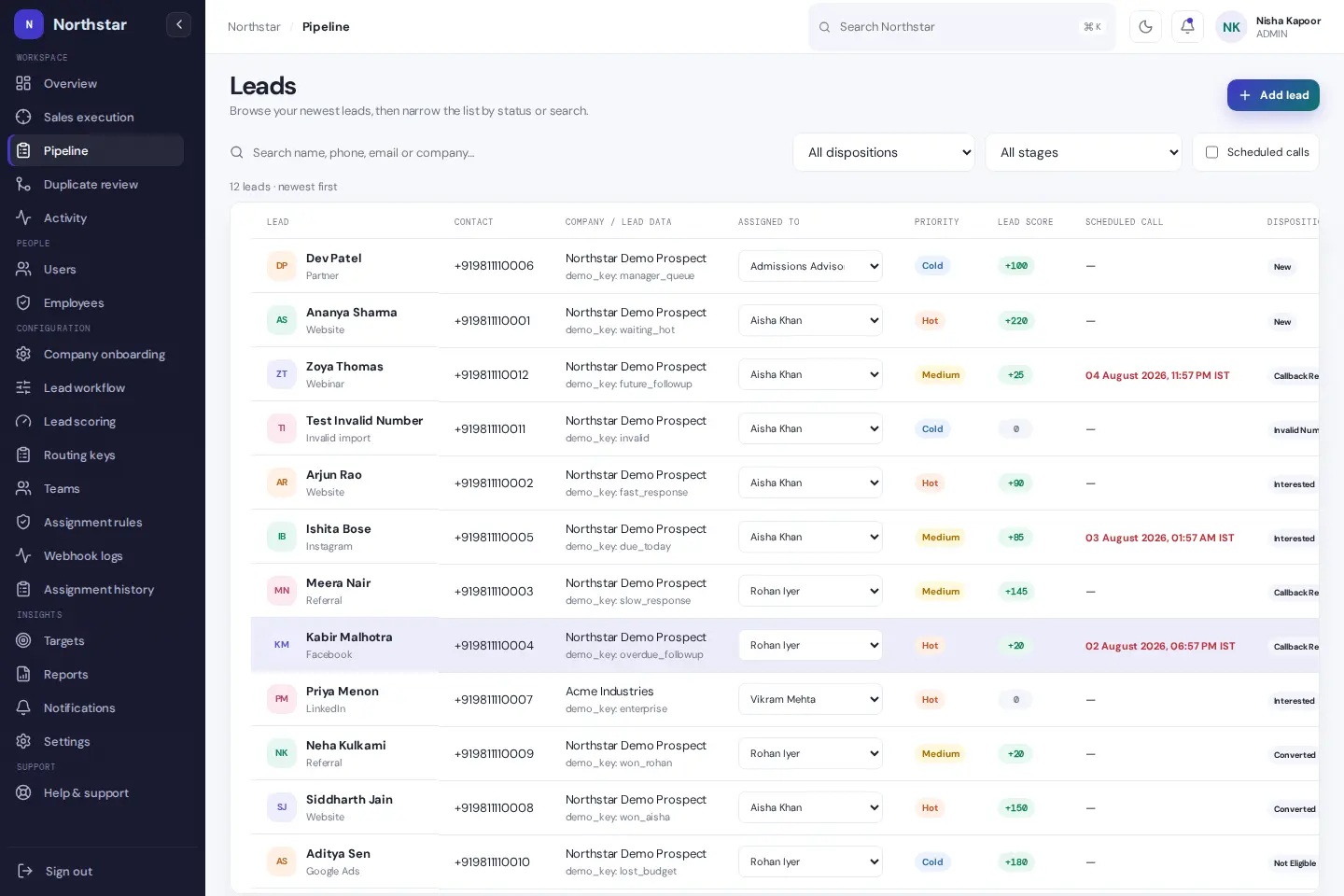
- Category
- Sales
- Lead Assignment
- Configurable rules
- Follow-Ups
- Response-time alerts
- Team View
- Calls, notes and deal stages
LeadViora
For sales teams handling inbound enquiries, callbacks and handoffs across several reps or locations.
When enquiries land in calls, forms and chats, it is easy to miss the callback that matters.
From first enquiry to the next sale
- Bring incoming work together
- Start with leads from Meta forms, a CSV, phone calls or walk-ins. Use duplicate review when two entries look like the same enquiry, and keep the source visible when you review the pipeline later.
- Assign work the way your team operates
- A property team can route by project and branch, then rotate enquiries among eligible reps. If a lead does not match a rule, it stays in the unassigned queue where someone can pick it up.
- Work the queue and save the next move
- A rep opens the ranked queue, calls or opens WhatsApp from the lead, and records the outcome and promised callback in the same workflow. When another rep takes over, the handoff and contact history are already there.
- Review the pipeline and bring customers back
- Managers can check overdue follow-ups and see where enquiries are dropping out by stage. For customers who buy again, reorder and renewal rules help bring the next conversation back to the owner.
LeadViora keeps the promise made to the customer on the same record as the person responsible for keeping it. That matters most when enquiry volume grows, customers call back, or a rep is out.
When two branches receive the same enquiry
Imagine a buyer fills in a property form on Monday and calls a different branch on Tuesday. The team can review exact matches before merging. If the enquiry needs a different rep, the reassignment leaves a dated handoff, so the new owner can see who spoke to the buyer and what was promised.
What to look for when you explore it
Admins configure stages and routing. Reps work from the queue and log outcomes. Managers can look across the team for enquiries without an owner or callbacks that have slipped. A useful demo starts with a duplicate, a handoff and a rescheduled callback.
LeadViora features
- Bring every enquiry into one pipeline
- Log calls and walk-ins, import a CSV, or capture Meta Lead Forms. Each enquiry has a source, stage, owner, priority and next action.
- Send leads to the right rep
- Route by city, branch or project. Rotate leads among eligible reps or assign them by workload. Unmatched enquiries stay visible, and every handoff has a dated record.
- Start the day with the right callback
- The ranked queue brings urgent follow-ups to the top. Each lead has one current follow-up, and rescheduling keeps the earlier dates in its history.
- Give managers time to step in
- Set a response window for high-priority leads. If an enquiry goes untouched past that window, the manager can receive an alert.
- Keep the conversation with the lead
- Start a call or open WhatsApp from the lead, then save the outcome and next callback together. The WhatsApp chat stays in WhatsApp.
- Check duplicates before merging
- Review exact matches before combining records so the team can confirm they belong to the same person.
- See where deals move and where they stall
- Review conversion by stage, time to close, wins and losses, and projected revenue. Reps see their work queue, while managers can see the wider pipeline.
- Know when customers are due back
- Set reorder and renewal rules so the owner can receive a follow-up when a customer is due. Review earlier purchases and renewals on the customer timeline.