ResumeIQ
A closer look at the build.
See the work. Decide with proof.
Explore the product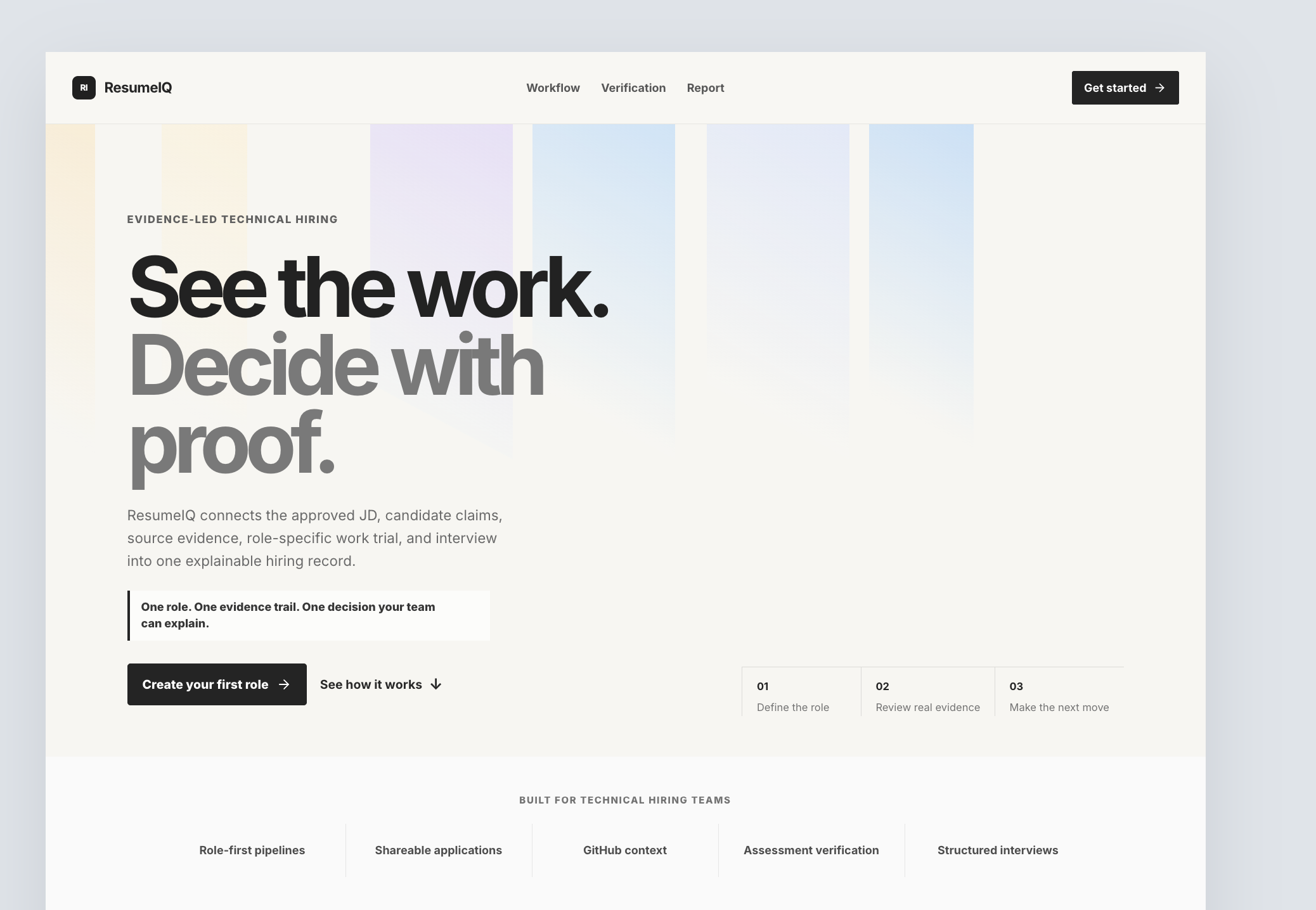
- Product
- ResumeIQ
- Focus
- AI hiring
- Explore this story
- The problem, the product & the details ↓
Hiring runs on claims
Technical hiring runs on claims. A resume says what a candidate wants you to believe, a portfolio link says what they finished, and the interview reconstructs the rest from memory. Somewhere in that gap, good candidates get missed and confident ones get hired.
One evidence trail per role
ResumeIQ connects the approved job description, the candidate's claims, the source evidence, a role-specific work trial and the interview into one explainable hiring record. The workflow has three beats: define the role, review real evidence, make the next move. Underneath sit role-first pipelines, shareable applications, GitHub context, assessment verification and structured interviews.
The philosophy is stated plainly: human judgment stays central, and the tool's job is to make the relevant context impossible to miss. The first stage turns the JD into a versioned hiring standard - requirements, evidence expectations and interview validation points - before any candidate is evaluated, so the bar exists before the person.
A restrained pitch for an AI hiring tool
The page speaks to hiring teams tired of guesswork: move faster without lowering the bar, review evidence without losing context, make decisions you can stand behind. It is an unusually restrained pitch for an AI hiring tool, and it names its limits better than most. We saw the public pages only; creating a role and running a candidate through it sits behind the get-started flow.
What the decision record gives a team
It replaces the resume-plus-vibes loop with one evidence trail per role, so a hiring decision can be explained afterwards to the team, the candidate, or yourself in six months.
Planning a similar build
Bring us the workflow you want to improve. Tell us who does the work today, which tools need to connect, and what your team needs to see in a first working version.
- Define the first useful workflow. Use ResumeIQ as a starting point. Choose the task your users need to complete and agree what a successful result looks like.
- Shape the screens around that task. Review a working prototype with your team. Decide what information each person needs, what they can change, and what happens when a step fails.
- Connect, test, then launch. Agree the data and integrations in scope. Test with representative examples on phones and desktops, then document how your team will run and maintain the product.
This is a proposed approach for a custom project, rather than a claim that every feature is included in the public demo.
About this case study
Our look: the public homepage and workflow pages. The product itself begins behind the get-started flow.
Have a similar challenge?
Let’s build your solution.
Bring us the workflow you want to improve. Tell us who does the work today, which tools need to connect, and what your team needs to see in a first working version.