AgentLens
A closer look at the build.
Your most important dependency is a black box. This is built to open it.
Explore the product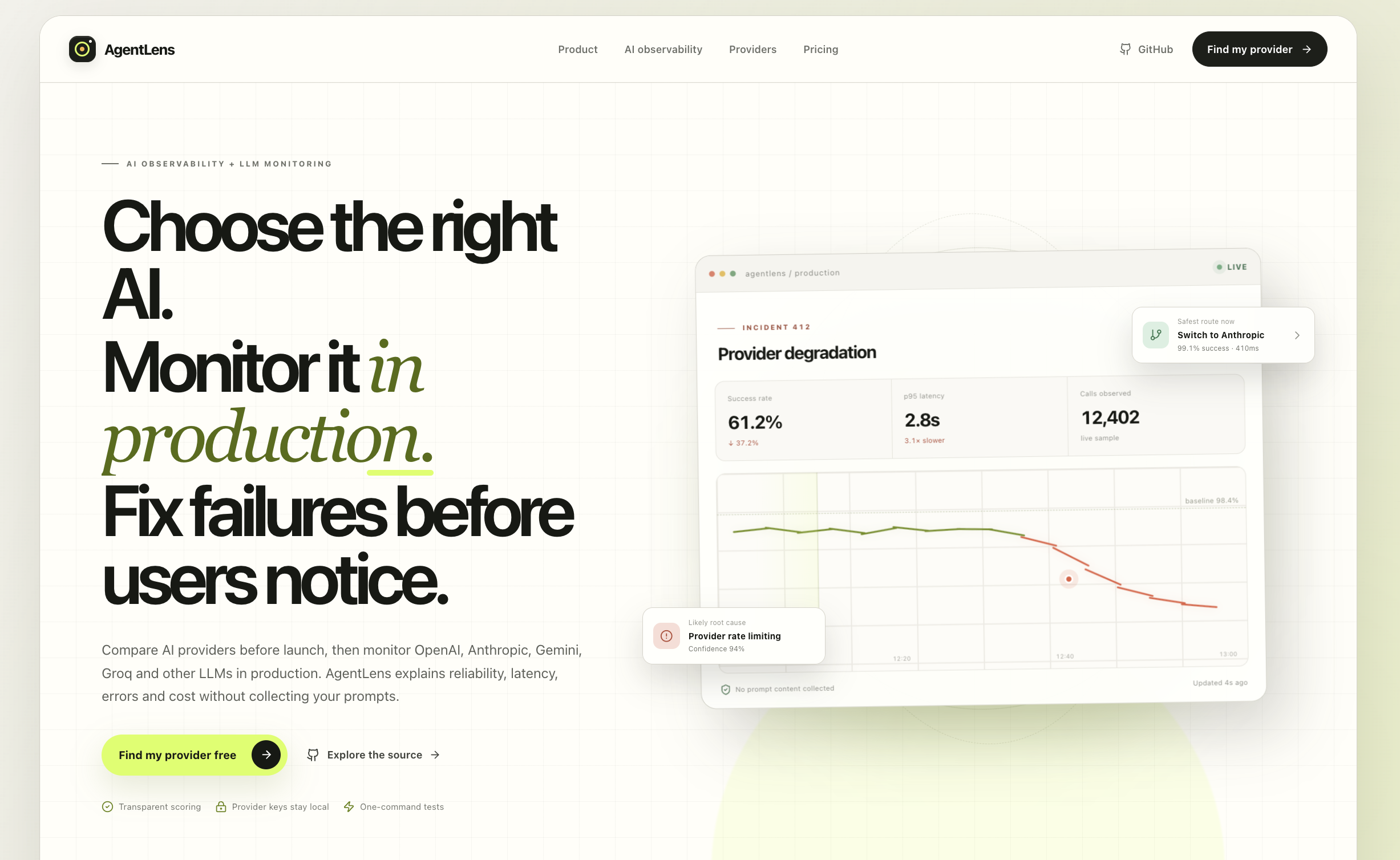
- Product
- AgentLens
- Focus
- AI observability
- Explore this story
- The problem, the product & the details ↓
Flying blind on your AI provider
If your product calls an AI model, you are flying blind more often than you think. Providers slow down, error rates spike, costs creep, and users notice before you do. And before launch, choosing a provider is mostly guesswork and marketing pages.
An incident story instead of a dashboard
AgentLens is AI observability with a decision at the end, in the site's own words: not another dashboard, a decision with evidence. It watches OpenAI, Anthropic, Gemini, Groq, Mistral and others in production and explains reliability, latency, errors and cost in plain terms. A compare flow helps you pick a provider before launch, with transparent scoring, and the project is open source.
The homepage runs a live-looking incident story to show what the product produces: an incident card where the success rate dropped to 61.2%, p95 latency rose to 2.8 seconds, the likely root cause reads provider rate limiting at 94% confidence, and the safest route now is a named alternative at 99.1% success. The privacy posture is printed on the same page: provider keys stay local, no prompt content collected, zero raw responses uploaded.
What a provider outage looks like here
Two expensive unknowns: which provider to bet on, and whether that bet is working right now. The first becomes a structured comparison; the second becomes an incident story your team can act on instead of a chart they have to interpret. We saw the public site only, so the monitoring itself is the site's demonstration until an account proves it.
Planning a similar build
Bring us the workflow you want to improve. Tell us who does the work today, which tools need to connect, and what your team needs to see in a first working version.
- Define the first useful workflow. Use AgentLens as a starting point. Choose the task your users need to complete and agree what a successful result looks like.
- Shape the screens around that task. Review a working prototype with your team. Decide what information each person needs, what they can change, and what happens when a step fails.
- Connect, test, then launch. Agree the data and integrations in scope. Test with representative examples on phones and desktops, then document how your team will run and maintain the product.
This is a proposed approach for a custom project, rather than a claim that every feature is included in the public demo.
About this case study
Our look: the public homepage. The monitoring dashboard and the compare flow begin after signup; the incident card shown is the site's demonstration.
Have a similar challenge?
Let’s build your solution.
Bring us the workflow you want to improve. Tell us who does the work today, which tools need to connect, and what your team needs to see in a first working version.