LeadViora
Give every lead an owner and a next step.
Capture enquiries in one place, assign them to the right rep, and open a ranked queue that tells the team who to call next. Managers can follow the pipeline without chasing updates.
Explore LeadViora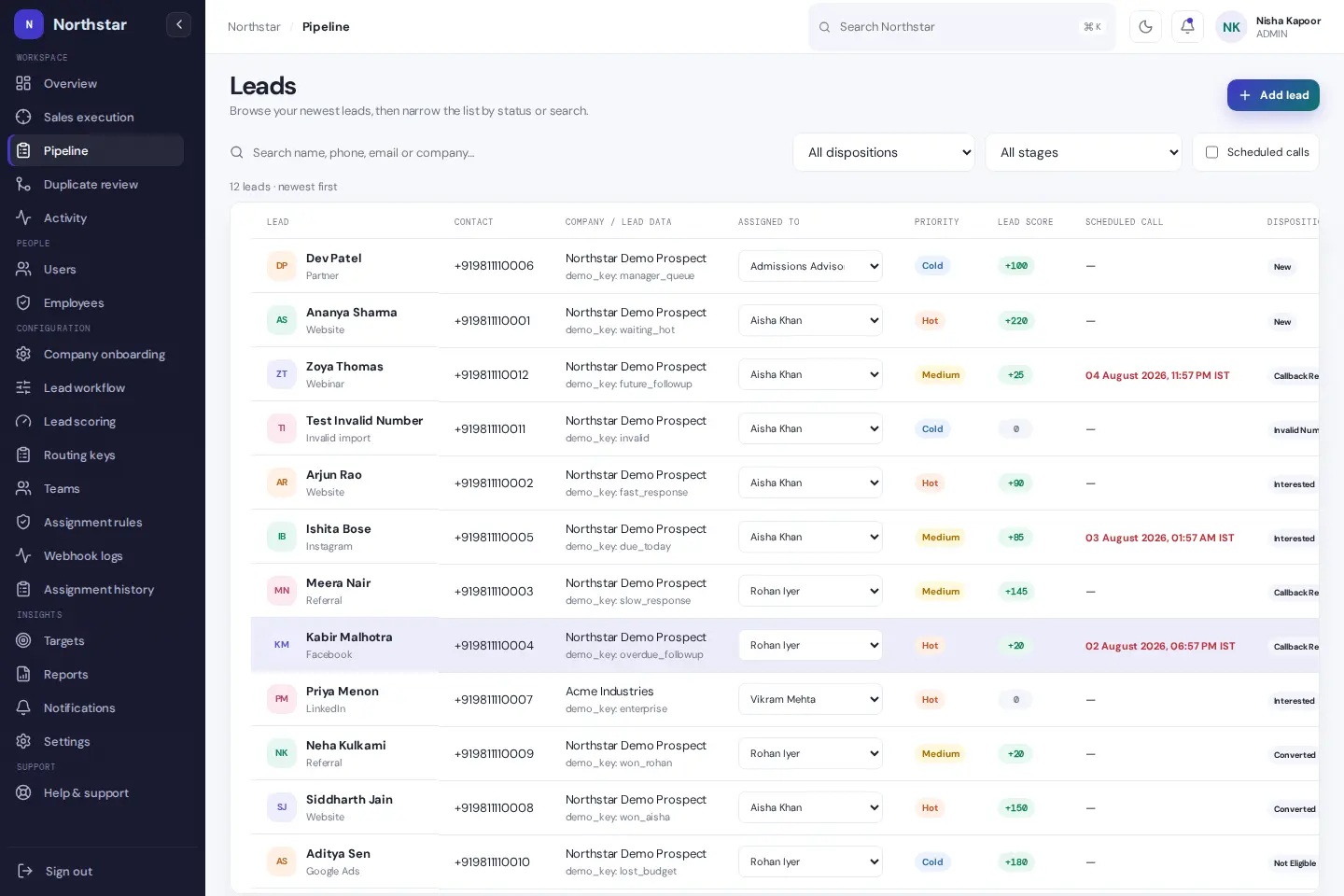
- Product
- LeadViora
- Focus
- CRM
- Explore this story
- The problem, the product & the details ↓
Leads scattered across chats and sheets
Imagine a small sales team whose leads arrive from several places and are tracked in chats, a spreadsheet and memory. In a setup like that, it is easy for a follow-up to slip. A CRM exists to keep each lead's owner and next step in one place.
Ownership that stays with the lead
LeadViora is a lead management and sales automation CRM that keeps ownership, contact history and the current follow-up connected to the lead itself. It is configurable to the team's own process - stages, outcomes, fields, routing values and terminology - and role-aware from day one, so admins, managers and salespeople each see the work and controls meant for them. It starts free with 3 users, no credit card and no trial deadline.
The site is unusually honest about how it sells: every screen shown is an actual screen from an isolated demo workspace with fictional data, and the industry sections carry scope notes like "institutions remain responsible for their student information systems." The same capabilities adapt across six contexts, from education admissions to B2B services, with terminology and priorities shifting per team.
Privacy, from the first visit
The first thing the site asks is not for an email but for an analytics choice: basic page views counted without personal data, or, with permission, a random visitor ID and campaign source. Raw IPs are never stored and Do Not Track is respected. For a product that manages other people's customer data, leading with that posture is the right signal.
What the public tour does and does not show
It ends lead loss by making ownership and the next action unmissable. The full product sits behind a workspace signup, which we did not create; what the public tour shows is a coherent, inspectable workflow rather than a feature fog.
Sales: What We Built & How We Built It
Sales work gets harder when inquiries, call notes and follow-ups sit in different places. These CRM tools bring them into one workspace. Sales reps can work through a daily call list, record each conversation and move deals forward. Managers can see who owns each lead and which follow-ups need attention.
Architecture: Lead assignment, response timers and pipeline access follow configurable rules. Call notes and activity stay with the lead, so the next person has the context they need. Separate views give sales reps their own work list and managers a wider view of the team.
How We Built It
- Rule-Based Lead Assignment
- Assign website inquiries by location or team workload, using rules that match the sales process.
- Follow-Up Reminders
- Track response times and alert managers when an inquiry passes the configured response window.
- Calls, Notes & WhatsApp
- Start calls and WhatsApp messages from the lead screen, then keep notes and activity together.
- Visual Sales Pipeline
- Move deals through clear stages with drag-and-drop controls and role-based access.
Tech Stack & Metrics
Tech Stack: Next.js, React, Node.js, PostgreSQL, Prisma, Tailwind CSS, Stripe Billing, Vercel
- Configurable rulesLead Assignment
- Response-time alertsFollow-Ups
- Calls, notes and deal stagesTeam View
Products in this vertical: 1 built products
Planning a similar build
Bring us the workflow you want to improve. Tell us who does the work today, which tools need to connect, and what your team needs to see in a first working version.
- Define the first useful workflow. Use LeadViora as a starting point. Choose the task your users need to complete and agree what a successful result looks like.
- Shape the screens around that task. Review a working prototype with your team. Decide what information each person needs, what they can change, and what happens when a step fails.
- Connect, test, then launch. Agree the data and integrations in scope. Test with representative examples on phones and desktops, then document how your team will run and maintain the product.
This is a proposed approach for a custom project, rather than a claim that every feature is included in the public demo.
About this case study
Our look: the public site and its demo-workspace tour. The CRM itself begins behind a free workspace signup we did not create; screens shown are the site's own demo data.
Have a similar challenge?
Let’s build your solution.
Bring us the workflow you want to improve. Tell us who does the work today, which tools need to connect, and what your team needs to see in a first working version.