SocialViora
Write the post once. See where it lands.
Connect your accounts, write a post, and choose where and when it goes out. SocialViora tracks delivery by network so you know which posts published and which need a retry.
Explore SocialViora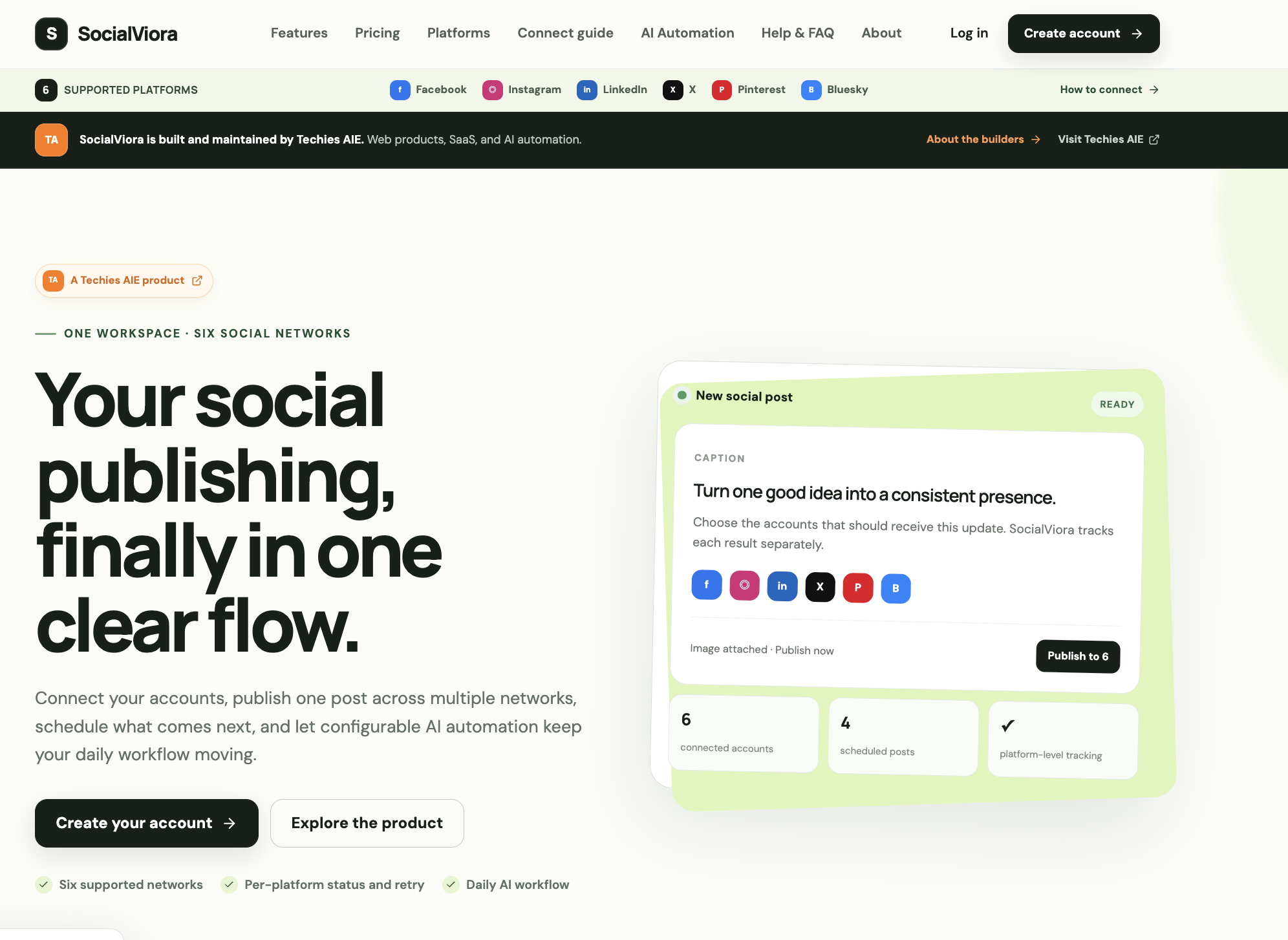
- Product
- SocialViora
- Focus
- Social publishing
- Explore this story
- The problem, the product & the details ↓
Six networks, six places to check
Being present on six social networks means six composer windows, six image crops, six "did that actually post?" checks. Small businesses quietly drop to one network because the other five are not worth the daily friction.
Compose once, track each result
SocialViora is one workspace for six networks: Facebook, Instagram, LinkedIn, X, Pinterest and Bluesky. Write a caption, attach an image, pick the accounts, publish now or schedule in your timezone. The part that matters is the tracking: each platform's result is recorded separately, so a failed authentication on one network is a retry button, not a mystery.
A configurable AI automation layer can keep a daily publishing rhythm moving - topic, audience, voice, language, image preference and time of day are yours to set. The site is explicit about what is implemented versus aspirational, with a "what is implemented" section listing exactly the compose-schedule-track loop.
What the public tour shows
It turns multi-network presence from a daily chore into a single habit, with per-platform honesty about what got delivered. Connecting accounts and the AI automation live behind a login, so our read is the public product tour - which, unusually for this category, includes a connect guide and failure-handling in the pitch.
SaaS: What We Built & How We Built It
Small teams should not have to switch between accounts just to manage one campaign. These publishing tools bring drafts, schedules and delivery status into one workspace. Teams can prepare shared content, adapt it for each network and see which posts need attention.
Architecture: A publishing queue handles scheduled jobs, with delivery tracked separately for each network. A failure on one network does not have to stop the others. Media processing adapts images to platform requirements, while delivery logs help teams understand failures and retry where supported. Publishing depends on account permissions and each network's API rules.
How We Built It
- Multi-Network Publishing
- Prepare content for Facebook, Instagram, LinkedIn, X, Pinterest and Bluesky. Available actions depend on the connected account and each network's publishing rules.
- Timezone-Aware Scheduling
- Schedule posts for the intended local time, rather than making teams calculate time differences by hand.
- AI Drafting Support
- Suggest captions, hashtags and creative ideas for each platform. The team reviews the content before publishing.
- Delivery Status & Retries
- Track results by network, inspect errors and retry failed posts where supported without restarting every delivery.
Tech Stack & Metrics
Tech Stack: Next.js, Node.js, Tailwind CSS, OAuth 2.0, Redis Queues, Vercel
- Timezone-aware schedulesPlanning
- Status for each networkDelivery
- Separate error logs and retriesRecovery
Products in this vertical: 1 built products
Planning a similar build
Bring us the workflow you want to improve. Tell us who does the work today, which tools need to connect, and what your team needs to see in a first working version.
- Define the first useful workflow. Use SocialViora as a starting point. Choose the task your users need to complete and agree what a successful result looks like.
- Shape the screens around that task. Review a working prototype with your team. Decide what information each person needs, what they can change, and what happens when a step fails.
- Connect, test, then launch. Agree the data and integrations in scope. Test with representative examples on phones and desktops, then document how your team will run and maintain the product.
This is a proposed approach for a custom project, rather than a claim that every feature is included in the public demo.
About this case study
Our look: the public site and product tour. Account connection and publishing require a login we did not create; the compose and tracking screens shown are the site's demonstration.
Have a similar challenge?
Let’s build your solution.
Bring us the workflow you want to improve. Tell us who does the work today, which tools need to connect, and what your team needs to see in a first working version.