How two people hand over financial tasks without missing key details
FinTrack’s dashboard helps teams pass along financial tasks without losing track of what’s important.
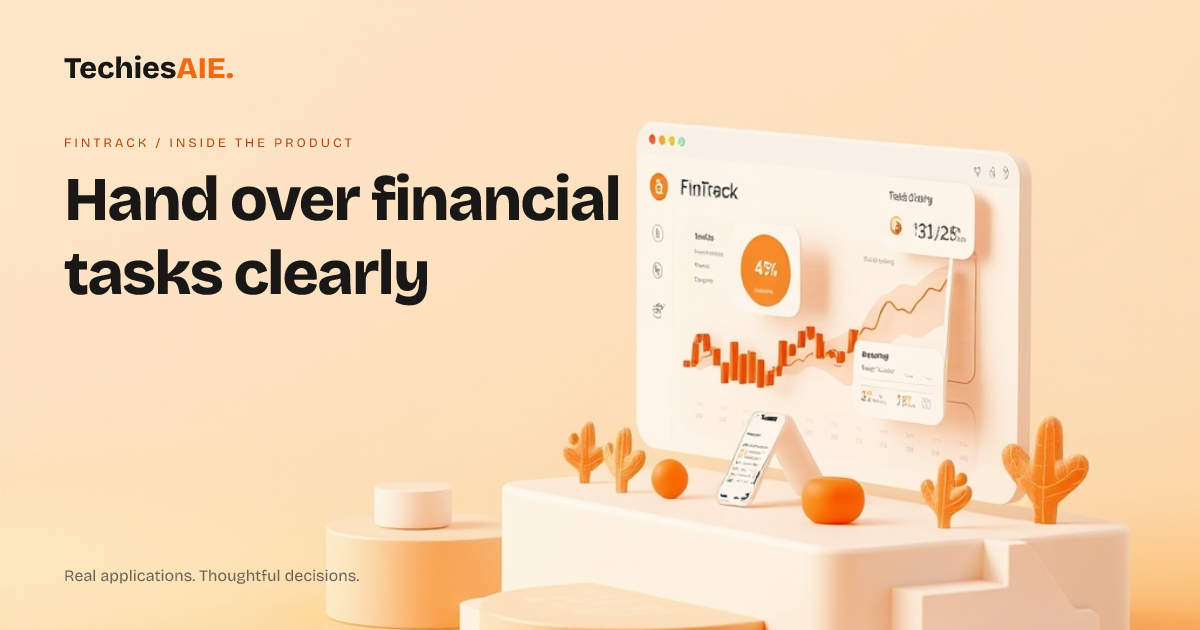
Maria runs a small finance team. Every month, she hands over client job details to her assistant, Priya. The problem? Maria’s spreadsheet has 15 tabs, and Priya misses key notes buried in comments or old emails. By the time Priya catches up, a client’s payment deadline passes. FinTrack’s dashboard design solves this by keeping only the most important tasks visible at a glance.
FinTrack’s dashboard shows pending jobs, client notes, and deadlines in one clean view. No more digging through spreadsheets. Priya sees exactly what Maria worked on last, including which jobs need follow-ups. This avoids the back-and-forth emails that slow things down. The demo shows how tasks are grouped by priority, so nothing slips through.
One key feature is the task cards section. Each card lists the job name, client, due date, and a short note. Priya can mark tasks as ‘done’ or ‘needs review’ with one click. This keeps the dashboard tidy and shows Maria at a glance what’s left. The layout works the same way on phones, so Priya can check tasks while on the go. See the FinTrack dashboard demo
FinTrack also lets teams add quick notes to tasks. For example, Maria might write ‘Call Mr. Patel about invoice #456’ directly on the task card. Priya sees this note right away, so she doesn’t have to ask. Notes stay attached to the task, even if the job moves to a different section of the dashboard.
A limitation to consider: FinTrack’s demo shows a clean layout, but it doesn’t include access rules or permissions. If multiple people need to edit tasks, you’d need to discuss how to lock certain tasks or limit who can change notes. This would require custom work beyond the template.
Another gap is automatic reminders. The demo doesn’t show alerts for deadlines. If your team relies on pop-up reminders or emails, you’d need to add this feature. TechiesAIE can build this into a custom version of the dashboard.
What stays visible during handover?
When handing over tasks, Maria and Priya focus on three things: pending jobs, client notes, and deadlines. FinTrack’s dashboard keeps these front and center. For example, if a job is marked ‘urgent,’ it stays at the top until Priya marks it as complete. This prevents tasks from getting lost in a long list.
The dashboard also shows who worked on what. If Maria adds a note about a client’s preference, Priya sees it immediately. This avoids confusion about who did what and why. The demo shows how tasks are organized by date, so the most recent work is always easy to find.
One challenge is file attachments. The demo doesn’t show how to link documents like contracts or receipts directly to tasks. If your team needs this, you’d need to discuss adding a file upload feature or linking to cloud storage like Google Drive.
What’s missing from the template?
FinTrack’s dashboard is a great start for handing over tasks. But it lacks a few things most teams need. For example, there’s no way to filter tasks by client or type. If Priya only wants to see jobs for a specific client, she’d have to scroll through everything. Adding filters would make the handover even smoother.
Another missing piece is history tracking. The demo doesn’t show who made changes to a task or when. If Priya needs to know why a task was marked ‘delayed,’ she’d have to ask Maria. Adding a simple log of changes would save time during handovers.
What would a similar project need?
If you’re considering FinTrack or a similar dashboard, start by listing what must stay visible during handovers. For Maria and Priya, this meant pending jobs, client notes, and deadlines. Next, decide if you need extra features like file attachments, reminders, or task filters. TechiesAIE can adapt the dashboard to fit these needs.
For example, a custom version could include color-coded task types (like ‘invoices’ or ‘reports’) to make handover even clearer. Or you could add a quick-start guide for new team members, showing exactly how to use the dashboard. These changes would require discussion during the build phase.
FinTrack’s dashboard works well for teams that need a clean, shared view of tasks. But if your team relies on automated reminders, detailed permissions, or document links, you’ll need to plan for those upfront. TechiesAIE builds custom dashboards like this for finance teams, ecommerce stores, and logistics operations—where clear handover is key. See how TechiesAIE builds custom dashboards