How financial advisors stop losing clients in messy spreadsheets
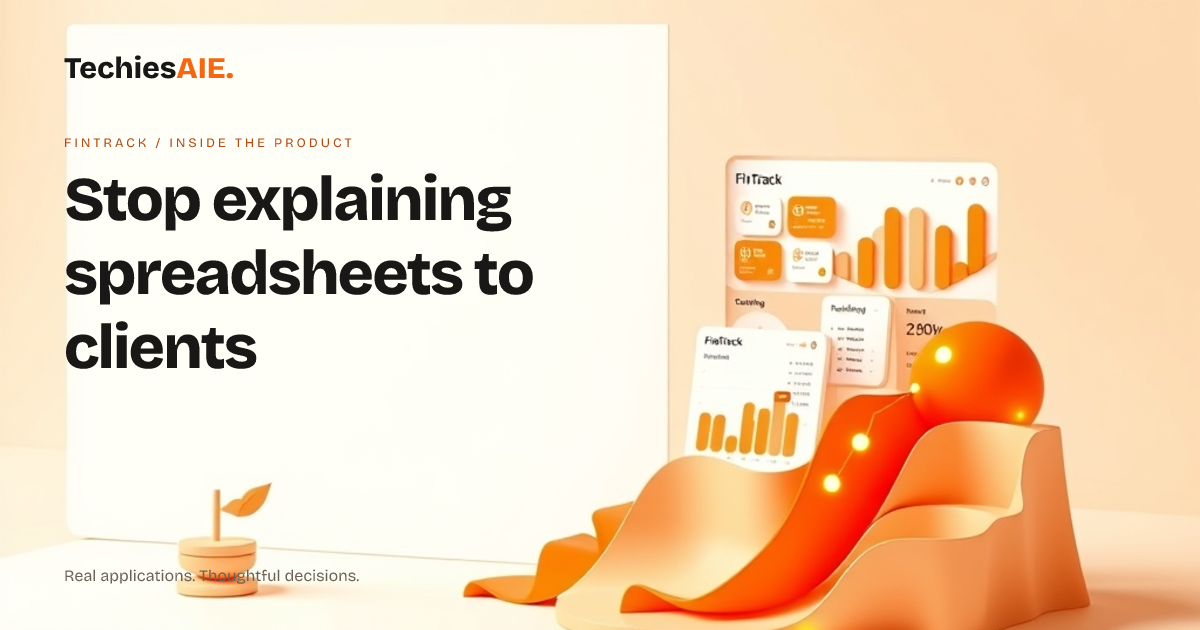
FinTrack helps financial advisors and small business owners present client portfolios clearly—without wasting hours translating spreadsheets into plain language.
Meera, a financial advisor, spent 90 minutes every month explaining spreadsheets to clients. They’d ask simple questions like ‘How much is in stocks?’ or ‘Is my portfolio growing?’ but the rows of numbers made no sense to them. She needed a way to show asset allocations, growth trends, and risk levels without spending hours translating spreadsheets into plain language.
FinTrack is a clean dashboard designed to present financial data in an organized, visual way. Instead of buried numbers, it shows key metrics at a glance—like a snapshot of what matters most. The demo here shows how it turns messy data into easy-to-read charts and summaries. For example, a real estate investor could track property cash flow across rentals without digging through files, while a small business owner could see monthly expenses and revenue trends in one view. Explore FinTrack
One key feature is asset allocation charts. Meera could drag and drop her clients’ portfolio data into labeled sections like Cash, Stocks, and Bonds. The dashboard then generated a pie chart showing the breakdown. Clients no longer had to ask, ‘What percentage is in each category?’—they could see it at a glance.
Another useful part is the growth trend line. Clients often asked, ‘How has my investment grown over time?’ Instead of scrolling through spreadsheet rows, FinTrack plotted a simple line chart. A single glance showed whether their portfolio was rising, falling, or staying flat—with no extra explanations needed.
FinTrack also lets teams compare different accounts side by side. Meera could pull up two clients’ portfolios and see their risk levels, growth rates, and asset mixes in one view. This helped her spot trends and explain differences without flipping between spreadsheets or losing clients in confusing data.
But there’s one thing FinTrack’s demo doesn’t show yet: automated data imports. Meera still had to copy data from her ledger into the dashboard. A custom-built version could pull data directly from tools like QuickBooks or Excel, saving even more time. For example, a financial advisory firm might need this to sync client portfolios automatically, while a small business owner could use it to pull bank statements without manual entry.
If your team struggles with messy spreadsheets or needs to present financial data clearly to clients, FinTrack’s design could be adapted. For instance, a wealth manager might use it to generate shareable reports for investors, while a business owner could track monthly expenses and revenue trends without digging through files. TechiesAIE can build a similar dashboard tailored to your data needs—whether you need automated imports, custom charts, or client-facing reports. Explore TechiesAIE software services
How FinTrack helps advisors see what matters at a glance
FinTrack turns confusing spreadsheets into clear visuals. Here’s how it works in a real workflow:
1. Drag and drop portfolio data into labeled sections
No more guessing what percentage is in Cash, Stocks, or Bonds. The dashboard shows a clear pie chart of asset allocations.
2. Plot growth trends over time
See whether a portfolio is rising, falling, or flat with a simple line chart. Clients understand trends without explanations.
3. Compare accounts side by side
Pull up multiple portfolios in one view. Spot differences in risk levels and growth rates without flipping between spreadsheets.
What’s missing—and how to fill it
FinTrack’s demo shows a clean design, but real-world use might need these additions to fit your workflow:
TechiesAIE can build a similar dashboard tailored to your needs. For example, a financial advisor might need automated data pulls from QuickBooks, while a business owner could use custom alerts for big changes in expenses. Start by describing your biggest data frustration—and we’ll show how to fix it.
For more ideas on how TechiesAIE can adapt this design for your team, explore our custom software services.
Or, if you’re unsure whether a dashboard or a different tool would work best, discuss your needs directly. We’ll help you choose the right solution.